Head-to-head
Nano Banana Pro vs GPT Image 2.5, Side by Side
Nano Banana Pro and GPT Image 2.5 are two of the strongest image models for film work. We ran the same three prompts on both in Cinemagiq: a film still, a title card and a character sheet.
Google DeepMind · image
Nano Banana Pro
Google's Pro tier Nano Banana: stills up to 4K with six references
Strengths
- The Pro tier of Google's Nano Banana family
- 1K, 2K and 4K output
- Up to 6 reference images, cited as @image1, @image2
- Camera Angle Control presets
- Ten aspect ratios from 9:16 to 21:9
Best for
- Hero frames and key art
- Posters and title art
- Production design boards
- Keyframes for pitch decks
Watch-outs
- Takes up to 6 reference images, fewer than Nano Banana 2.1 (10) or Nano Banana 2 Lite (14).
- No panoramic ratios; use Nano Banana 2.1 for 1:4, 4:1, 1:8 or 8:1.
- Camera Angle Control steers the prompt and does not guarantee the angle.
OpenAI · image
GPT Image 2.5
OpenAI's GPT Image 2.5: Flare for speed, Sunburst for precision
Strengths
- Two lanes: Flare for speed, Sunburst for precision edits
- Ten exact aspect ratios, including 21:9 and 9:16
- Five quality levels, up to xhigh and max
- Up to 4 reference images
Best for
- Title cards and graphic frames
- Product and commercial hero shots
- Multi-panel storyboard and comic pages
- Widescreen keyframes for image-to-video
Watch-outs
- Output sizes are fixed per ratio (for example 1536 x 864 at 16:9), with no 2K or 4K setting.
- No panoramic ratios such as 1:4 or 8:1, and no Camera Angle Control.
- Reference tags like @image1 reach the model as plain text, so describe what each reference is for in words.
The same prompt on both models
Made in Cinemagiq with the same prompt and settings on each model, and not retouched.
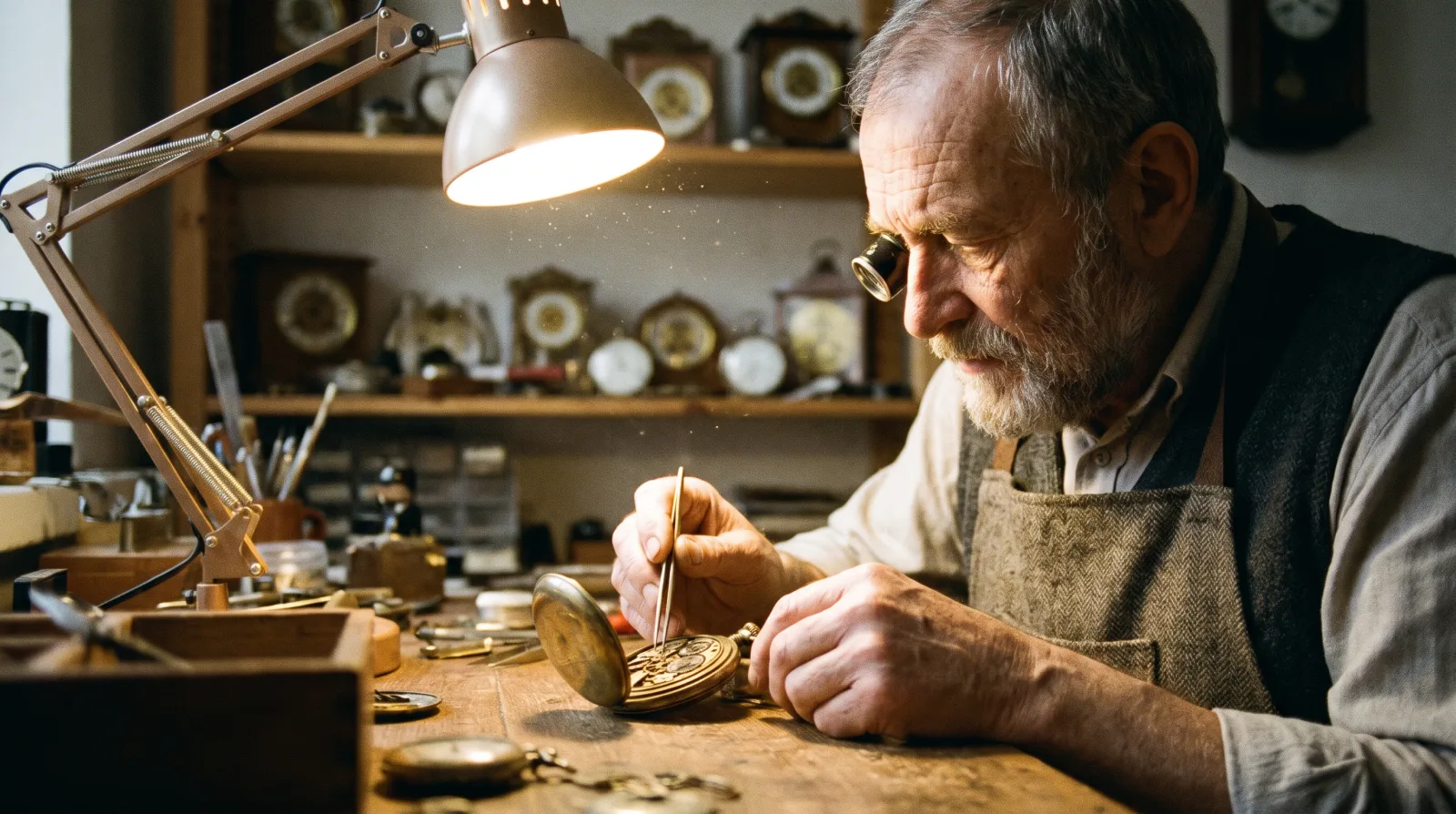
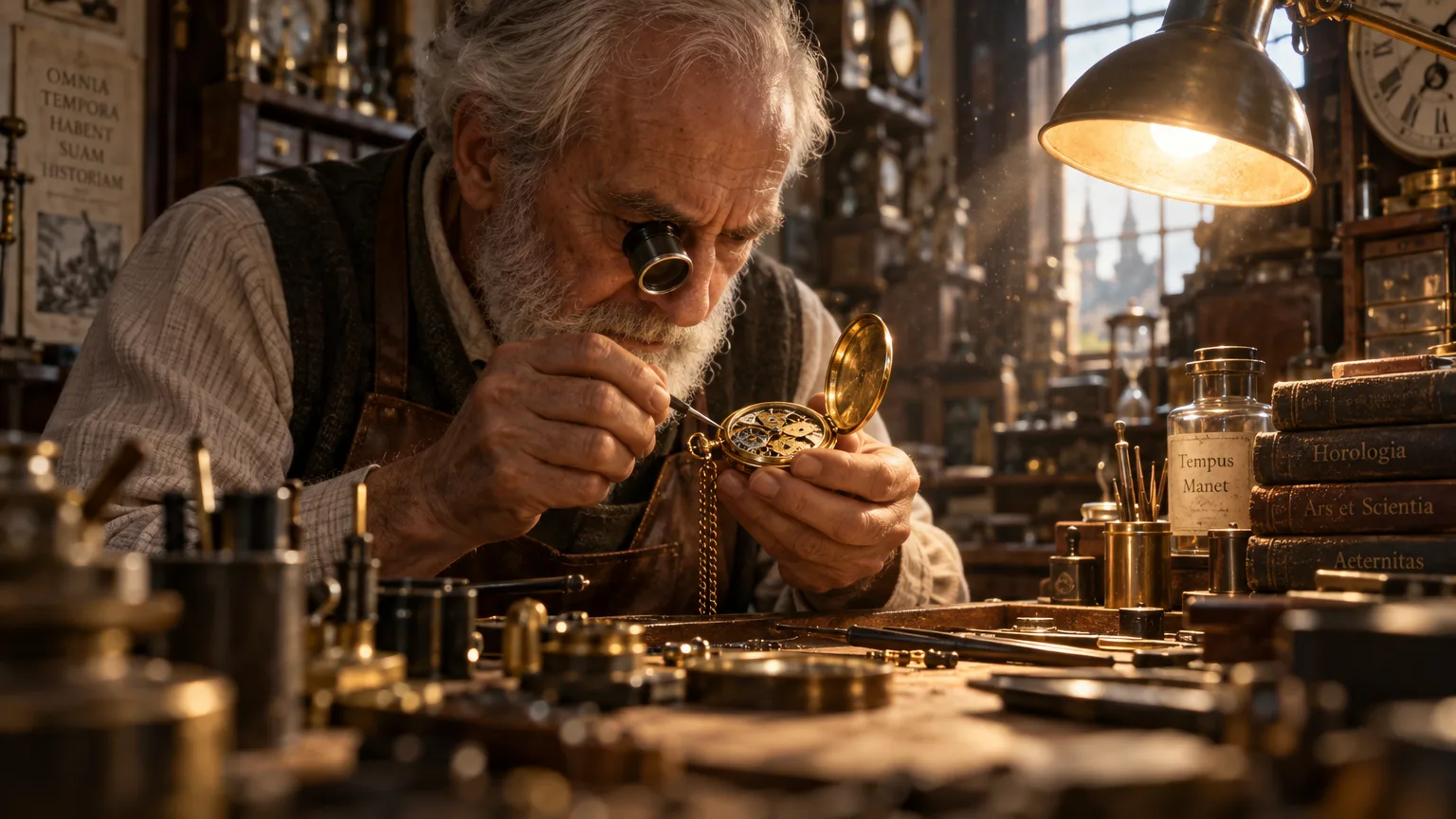
PromptCinematic film still: an elderly clockmaker in a cluttered workshop leans over an open brass pocket watch with a jeweller's loupe in one eye, warm desk lamp light, dust floating in the air, shallow depth of field, 35mm film grain.
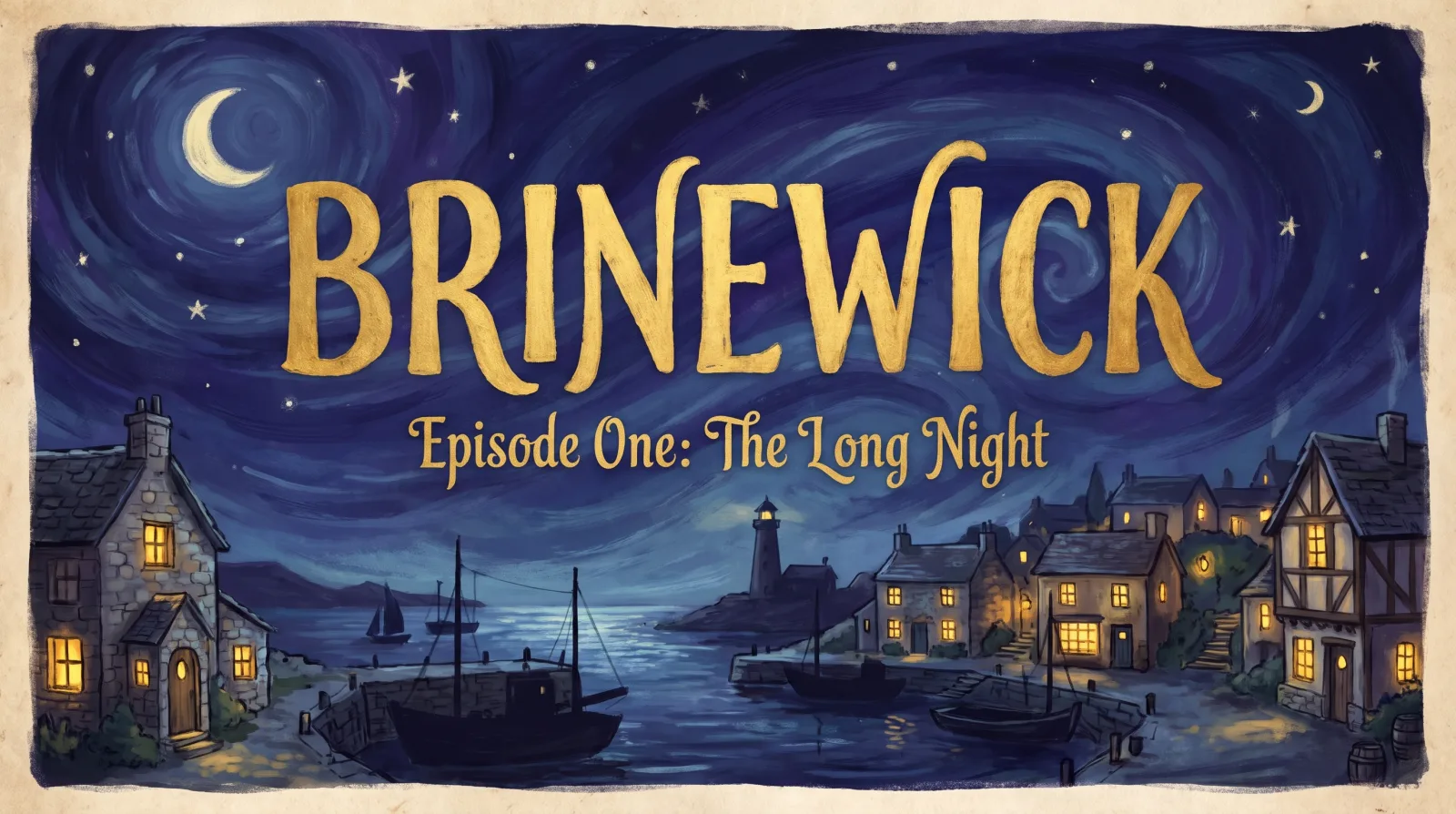
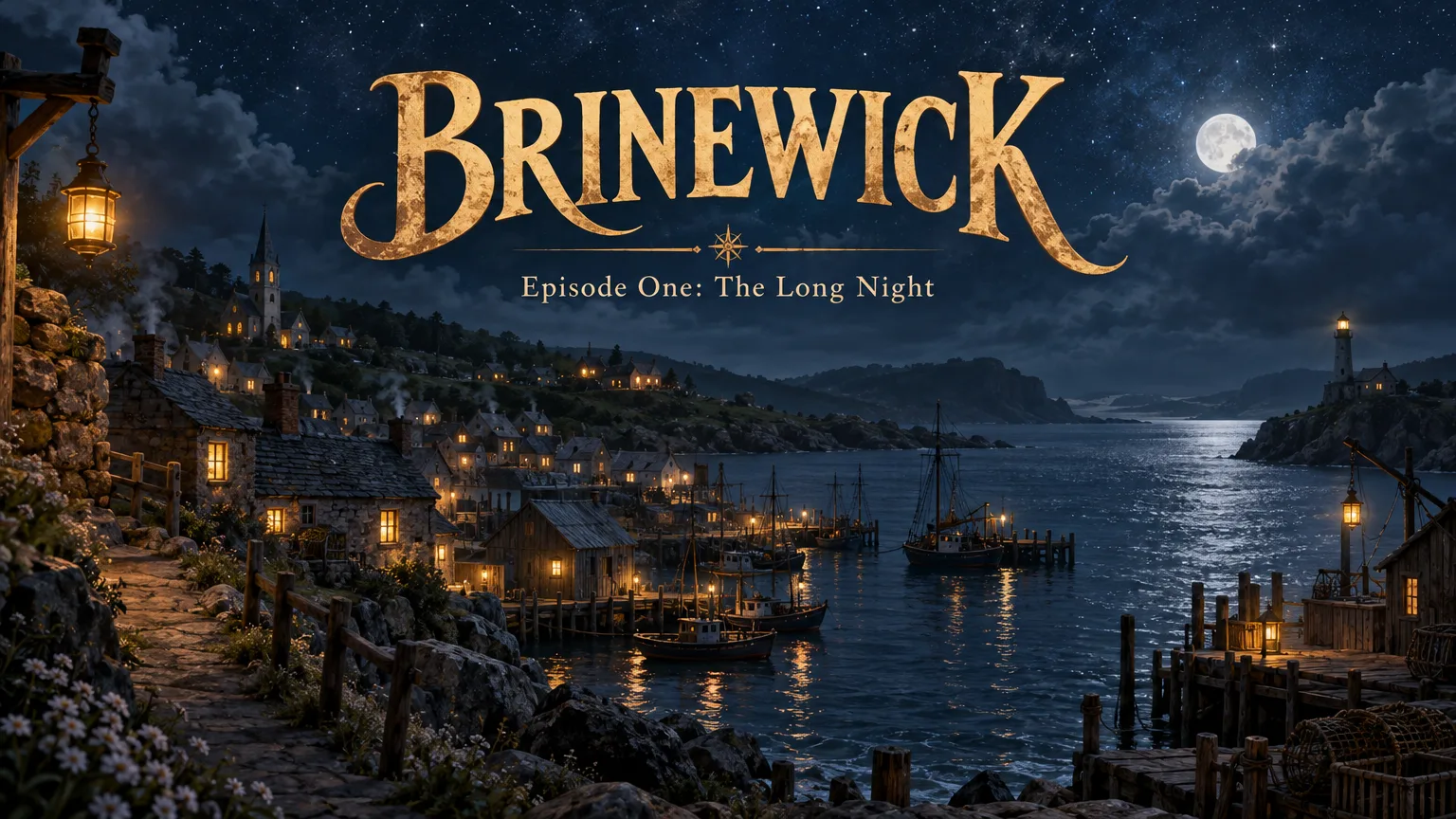
PromptTitle card for an animated series: the words 'BRINEWICK' in large hand-lettered gold letters, and below them in smaller letters 'Episode One: The Long Night', over a painted night sky above a small fishing village with lit windows, storybook illustration style. No studio or company names.
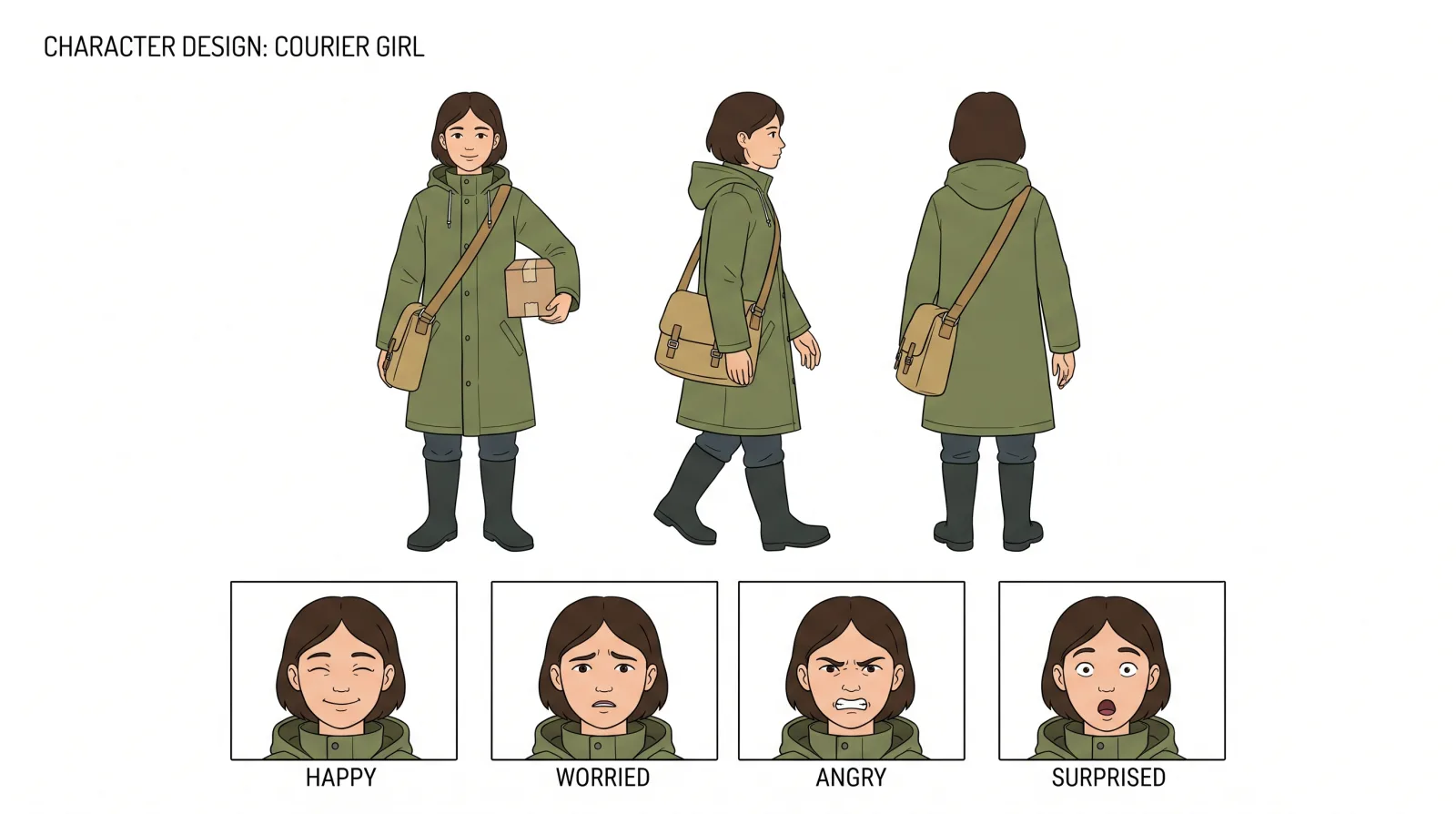
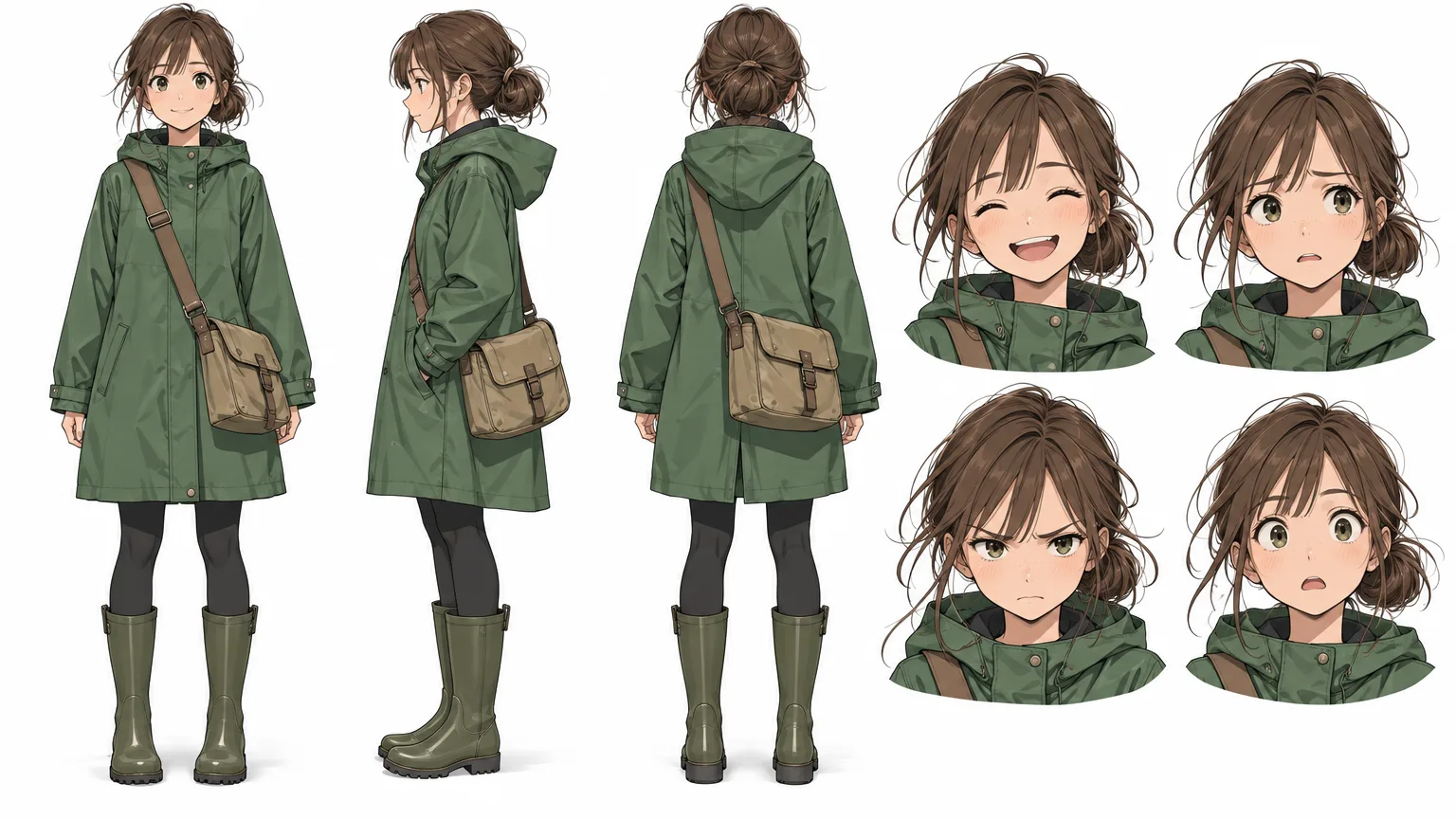
PromptCharacter design sheet on a white background: a young courier girl in a green raincoat, plain unbranded rubber boots and a canvas satchel, shown in three full-body views (front, side, back) and four facial expressions (happy, worried, angry, surprised), clean flat colours, thin outlines.
The verdict
Both handled all three prompts well, and both spelled the title card exactly, so the choice is about look, size and price rather than quality. Nano Banana Pro gave the more natural, documentary film still, a painterly storybook title card and a clean, flat character sheet with labelled views and expressions, at 2752 x 1536 pixels. GPT Image 2.5 leaned cinematic and rich: a golden, high-contrast workshop, a lush night-time title card and a detailed anime-style character sheet, at 1536 x 864. It also added things we did not ask for, such as invented Latin titles on the books behind the clockmaker, and Nano Banana Pro put a parcel in the courier's hand. At the settings we used, GPT Image 2.5 cost 7 tokens per image and Nano Banana Pro 24.
When to pick Nano Banana Pro
Pick Nano Banana Pro for larger files (up to 4K), natural-looking stills, clean design sheets, and when you want to guide the result with up to 6 reference images or Camera Angle Control.
When to pick GPT Image 2.5
Pick GPT Image 2.5 for a polished cinematic look at a low price per image, for ten aspect ratios from 9:16 to 21:9, and for masked edits in the Editor Studio, which run on the GPT Image 2.5 models.
The practical answer for most productions is both: match the model to the shot. Read more about Nano Banana Pro and GPT Image 2.5 in the model directory, or see the full ranking in the best AI video models of 2026.