imageby ByteDanceAvailable in Cinemagiq
Seedream 5.0
ByteDance's Seedream 5.0 in Pro, Lite and Flash, at exact ratios
An image costs from about $0.04
ByteDance's Seedream 5.0 in Pro, Lite and Flash, at exact ratios
An image costs from about $0.04
Seedream 5.0 is ByteDance's image generation family, from the same company behind the Seedance video models. Cinemagiq runs three versions on the Generation Studio's Image tab: Seedream 5.0 Pro, Seedream 5.0 Lite and Seedream 5.0 Flash, the fastest of the three. Each takes a prompt plus optional reference images and returns up to four images per run, rendered at the exact aspect ratio you choose.
The versions differ in size and references. Seedream 5.0 Pro delivers 1K or 2K and takes up to 10 reference images. Seedream 5.0 Lite delivers 2K or 4K and takes up to 14. Seedream 5.0 Flash delivers 1K or 2K, takes up to 10 references and renders any ratio from 1:16 to 16:1. A 4K request on Pro or Flash delivers 2K. You can cite references as @image1, @image2. Camera Angle Control is not available.
Use Seedream 5.0 when the shape of the frame matters: ultra-wide establishing shots, vertical cuts for social, product and food shots for commercials, and location plates. Pick Seedream 5.0 Lite for 4K and for realistic characters you plan to animate with Seedance 2.5, and Seedream 5.0 Flash for fast drafts. Set a still as the First Frame on the Video tab to animate it. Every result lands in the Asset Hub under All Generations.
Made in Cinemagiq with Seedream 5.0. The exact prompt is under each one.
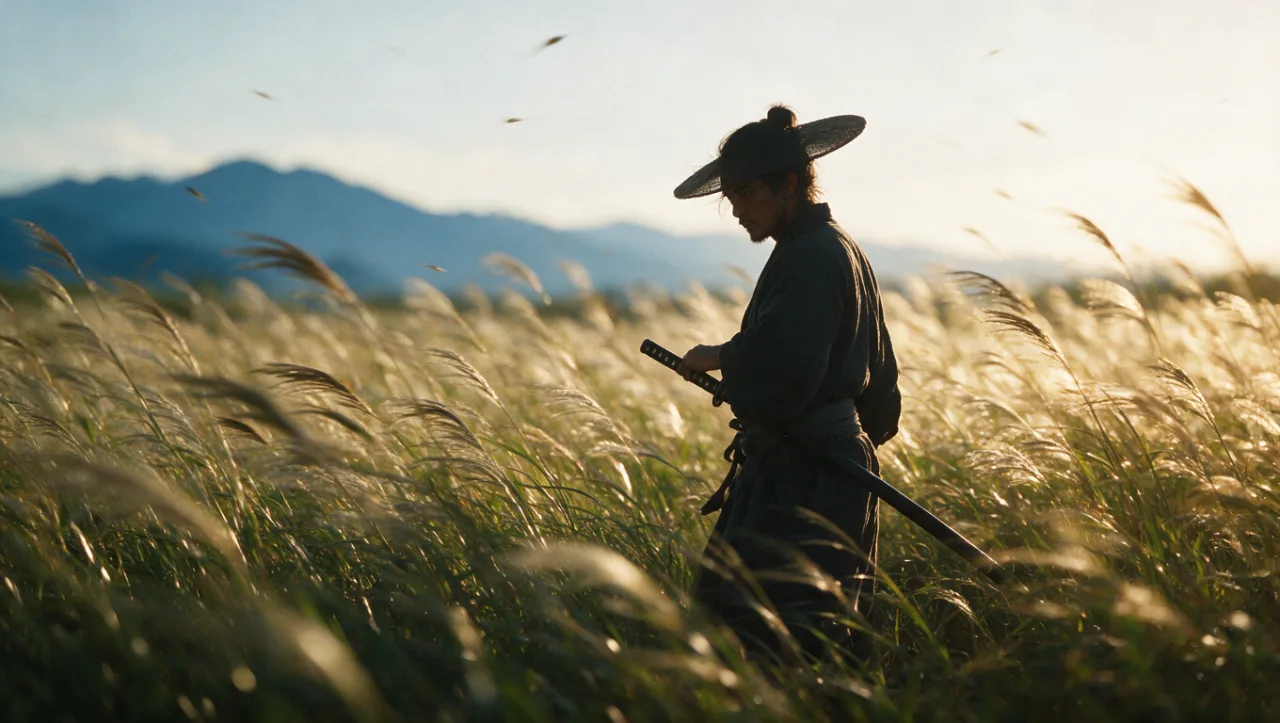
PromptPhotorealistic cinematic still: a lone samurai standing in a field of tall grass at sunset, wind moving the grass, distant blue mountains, backlit, shallow depth of field, classic Japanese cinema composition.

PromptAerial photograph of a winding mountain road through an autumn forest, a single small car, fog lying in the valleys, soft morning light, drone shot.

PromptUltra-wide cinematic frame: a spaceship hangar where a small crew repairs a battered cargo ship, sparks from welding, volumetric light pouring through the open hangar door, anamorphic look.

PromptPhotorealistic macro photo: a hummingbird hovering beside a red hibiscus flower, water droplets on the petals, soft green bokeh background.
Straight from the model list Cinemagiq runs today.
| Variant | Resolution | Reference images | Camera Angle Control |
|---|---|---|---|
| Seedream 5.0 Pro | 0.5K, 1K, 2K, 4K | Up to 10 | No |
| Seedream 5.0 Lite | 0.5K, 1K, 2K, 4K | Up to 14 | No |
| Seedream 5.0 Flash | 0.5K, 1K, 2K, 4K | Up to 10 | No |
Seedream 5.0 Pro delivers 1K or 2K with up to 10 references. Seedream 5.0 Lite delivers 2K or 4K with up to 14. Seedream 5.0 Flash is the fastest, delivers 1K or 2K, takes up to 10 references and renders any ratio from 1:16 to 16:1.
ByteDance makes Seedream 5.0 through its Seed team, the same company behind the Seedance video models. In Cinemagiq you can make a still with Seedream and animate it with Seedance 2.5 by setting it as the First Frame. For realistic characters, use Seedream 5.0 Lite, the version Cinemagiq marks for Seedance characters.
Yes, with Seedream 5.0 Lite, which delivers 2K or 4K. Seedream 5.0 Pro and Seedream 5.0 Flash deliver up to 2K, so a 4K request on them comes back at 2K. For 4K with Camera Angle Control, use Nano Banana 2.1 instead.
Yes. All three versions return the exact ratio you choose, and Seedream 5.0 Flash accepts any ratio from 1:16 to 16:1. That makes Seedream useful for ultra-wide 21:9 establishing frames and tall 9:16 vertical cuts. Write the prompt for that shape too.
Generate with Seedream 5.0 and the other models Cinemagiq runs in one AI-native workspace, and pick the right one per shot.