Production Board
Every shot of every episode, on one board.
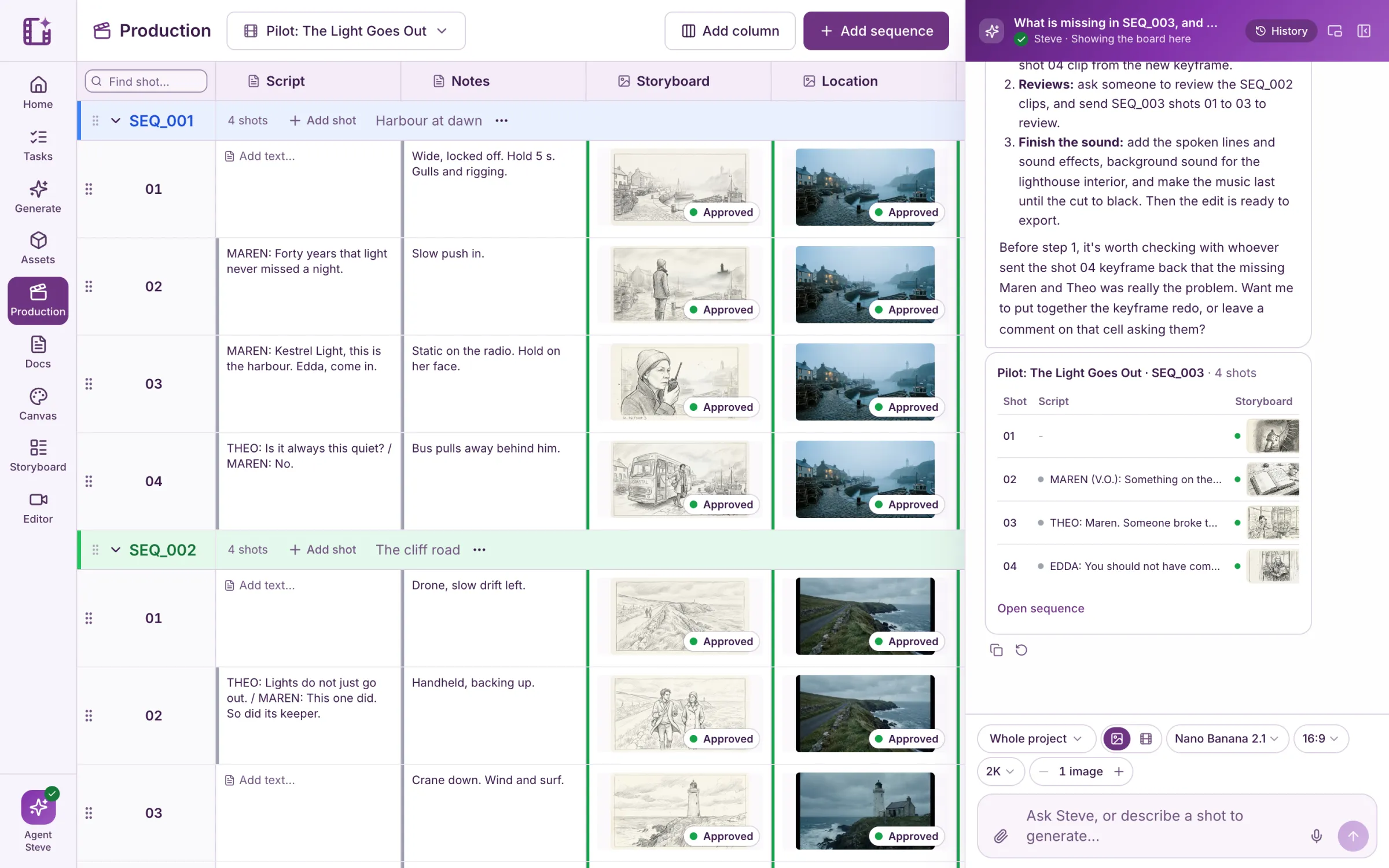
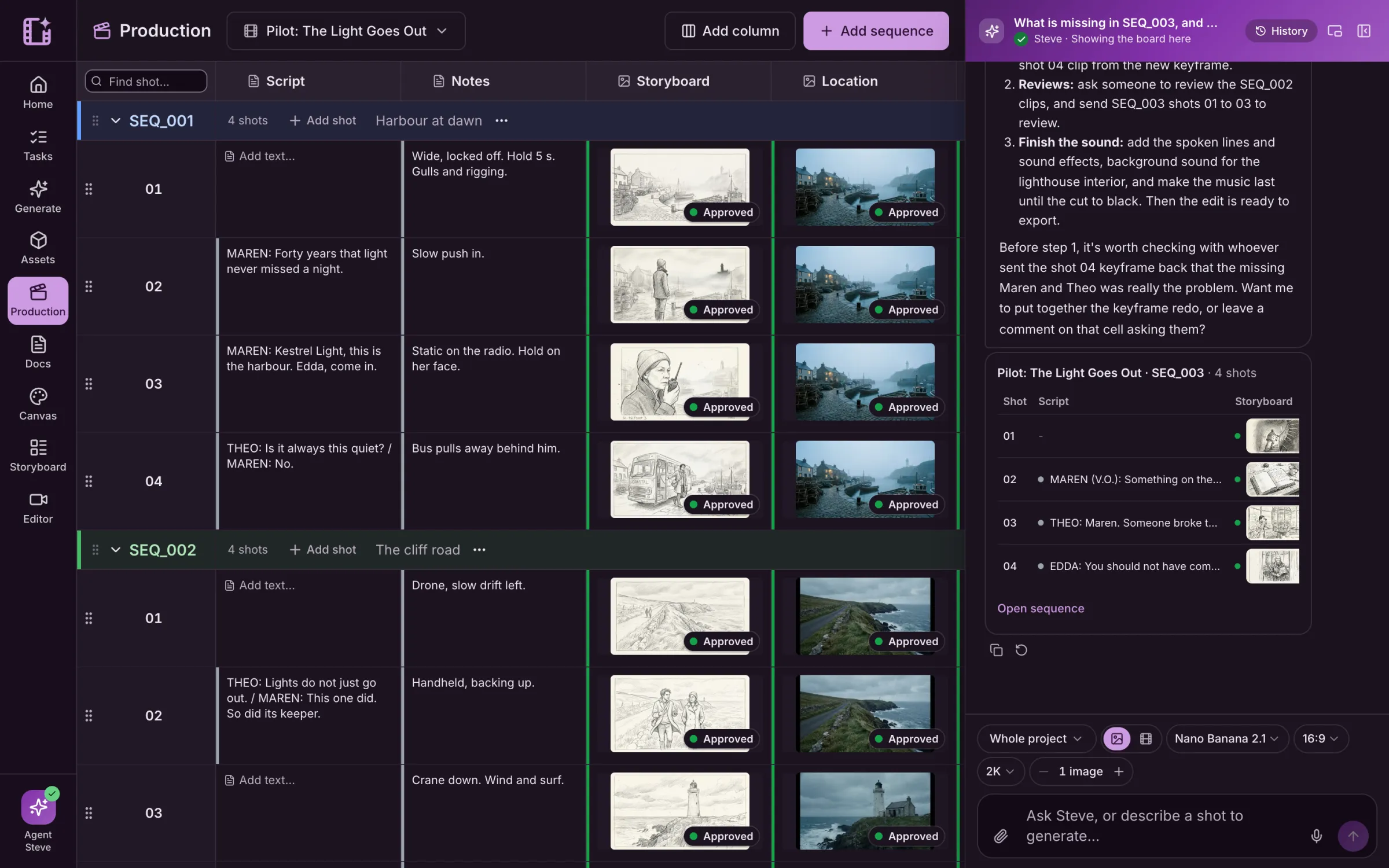
Track every episode, sequence and shot in one place. Attach assets, set statuses, assign the work and generate from the shot itself.
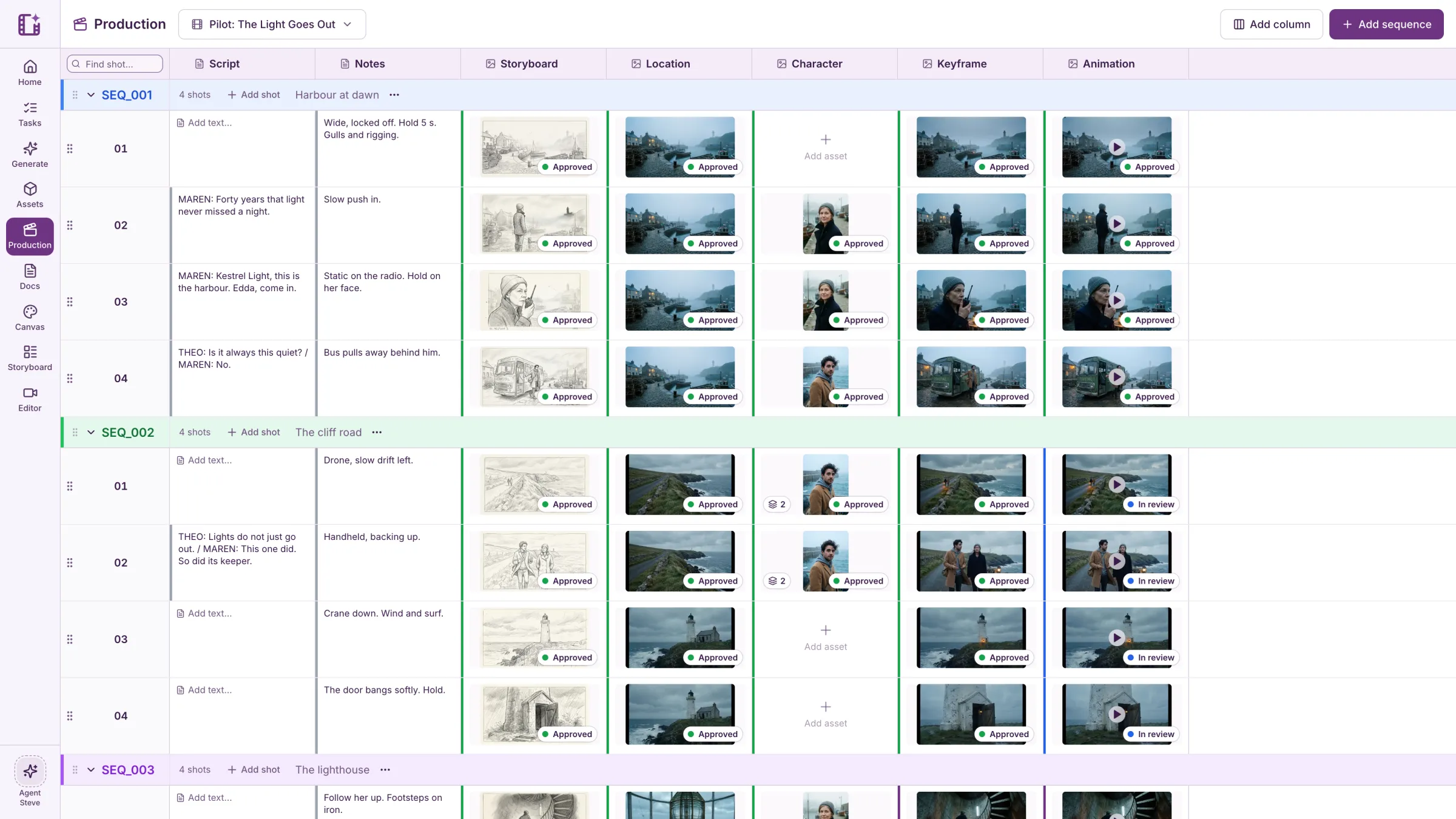
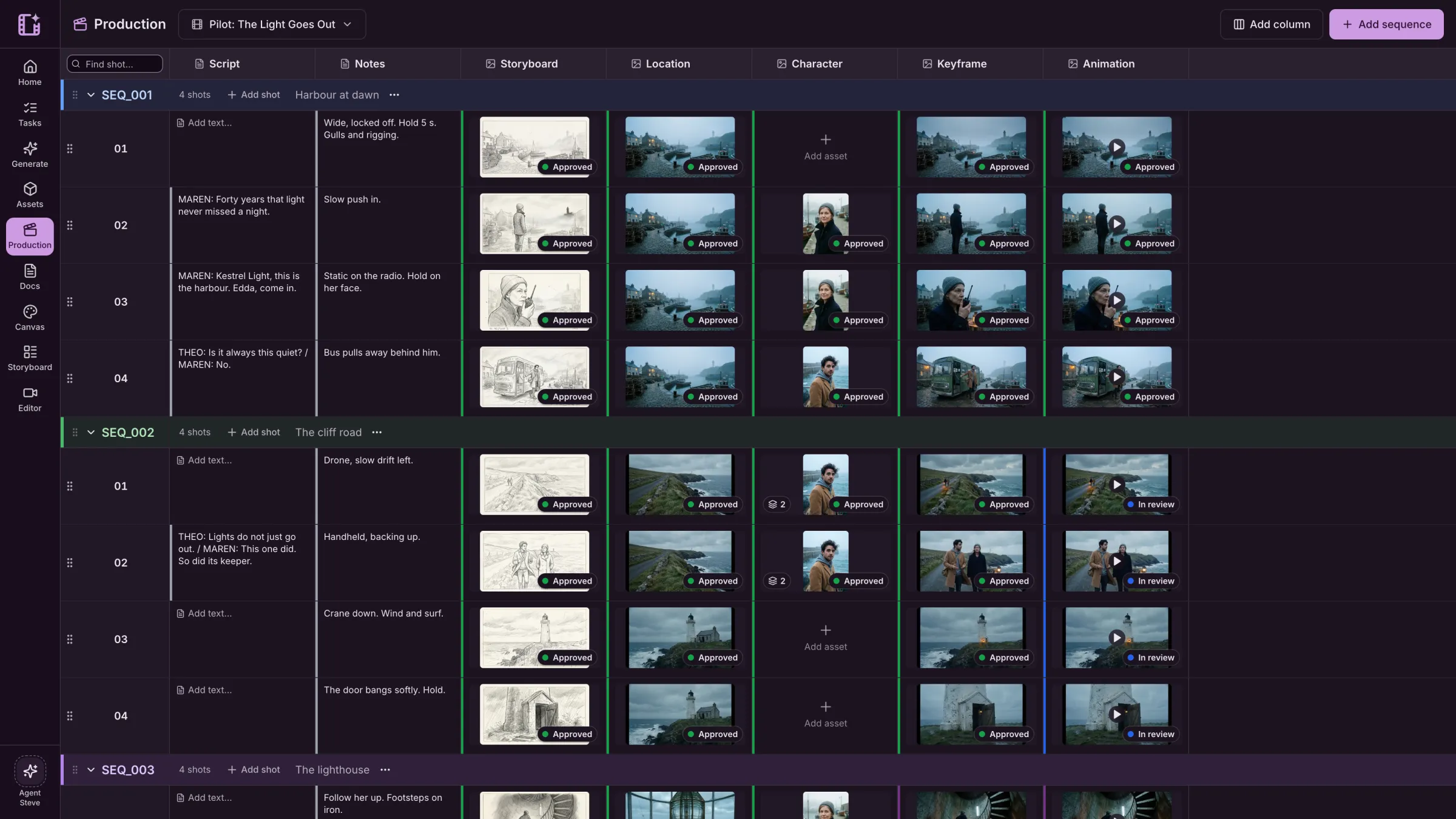
Kestrel Bay is a sample series we made in Cinemagiq to show the product. The brands in our spots are made up.
Built the way a series is built.
Episodes hold sequences, sequences hold shots, and every shot carries its own row of work. Add the columns your pipeline needs.
- Episodes, sequences and shots, numbered for you
- Text, asset, status, dropdown and checkbox columns
- Several takes in a cell, one marked as the main one



Everyone sees what is done, and who has it.
Each cell has its own status, people and due date. Review moves a shot from In progress to In review to Approved, and comments keep the notes on the shot.
- A status on every cell, with your own status list
- Assignees, due dates and a Tasks view
- Comments with @mentions on any cell
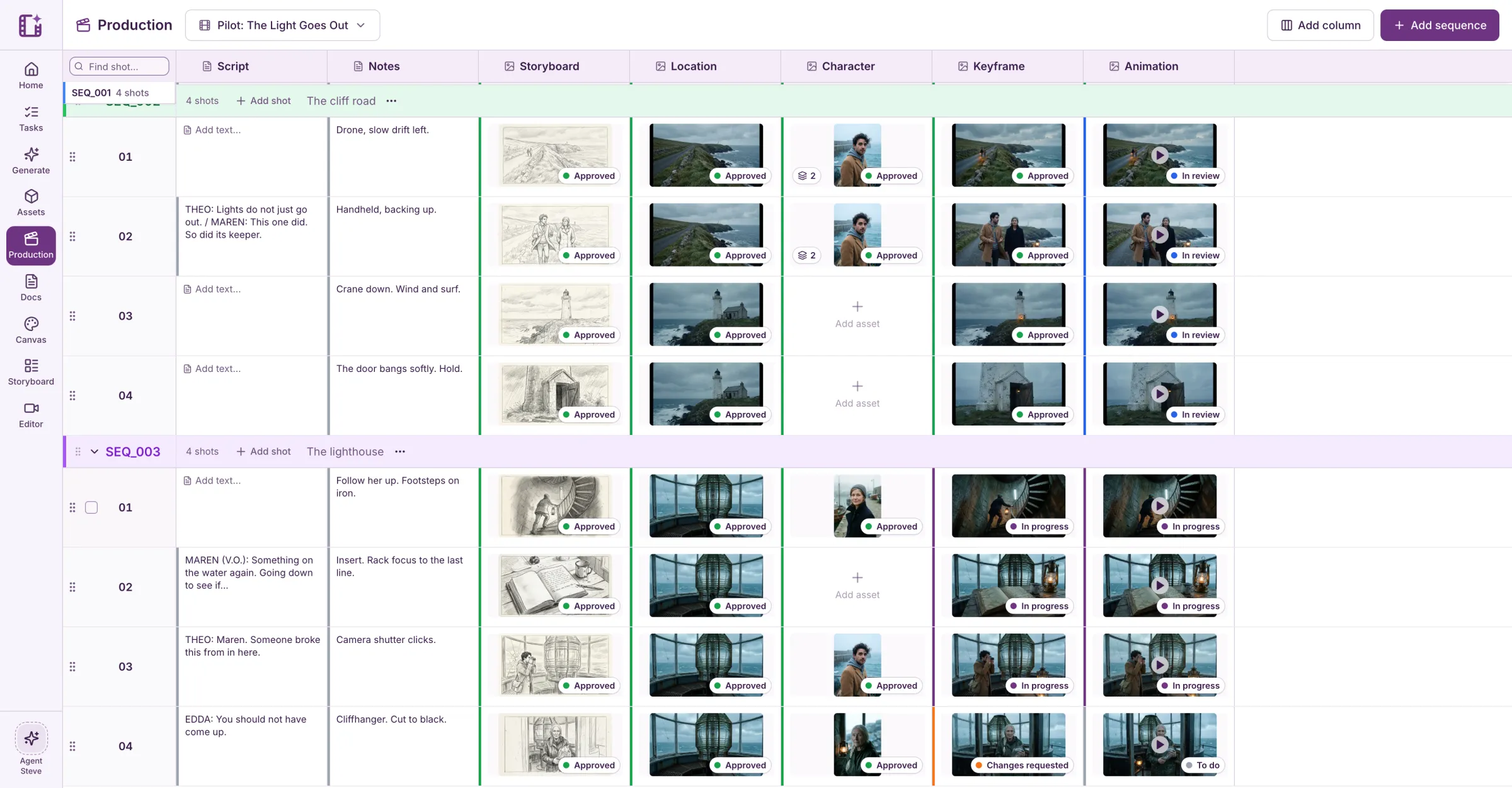
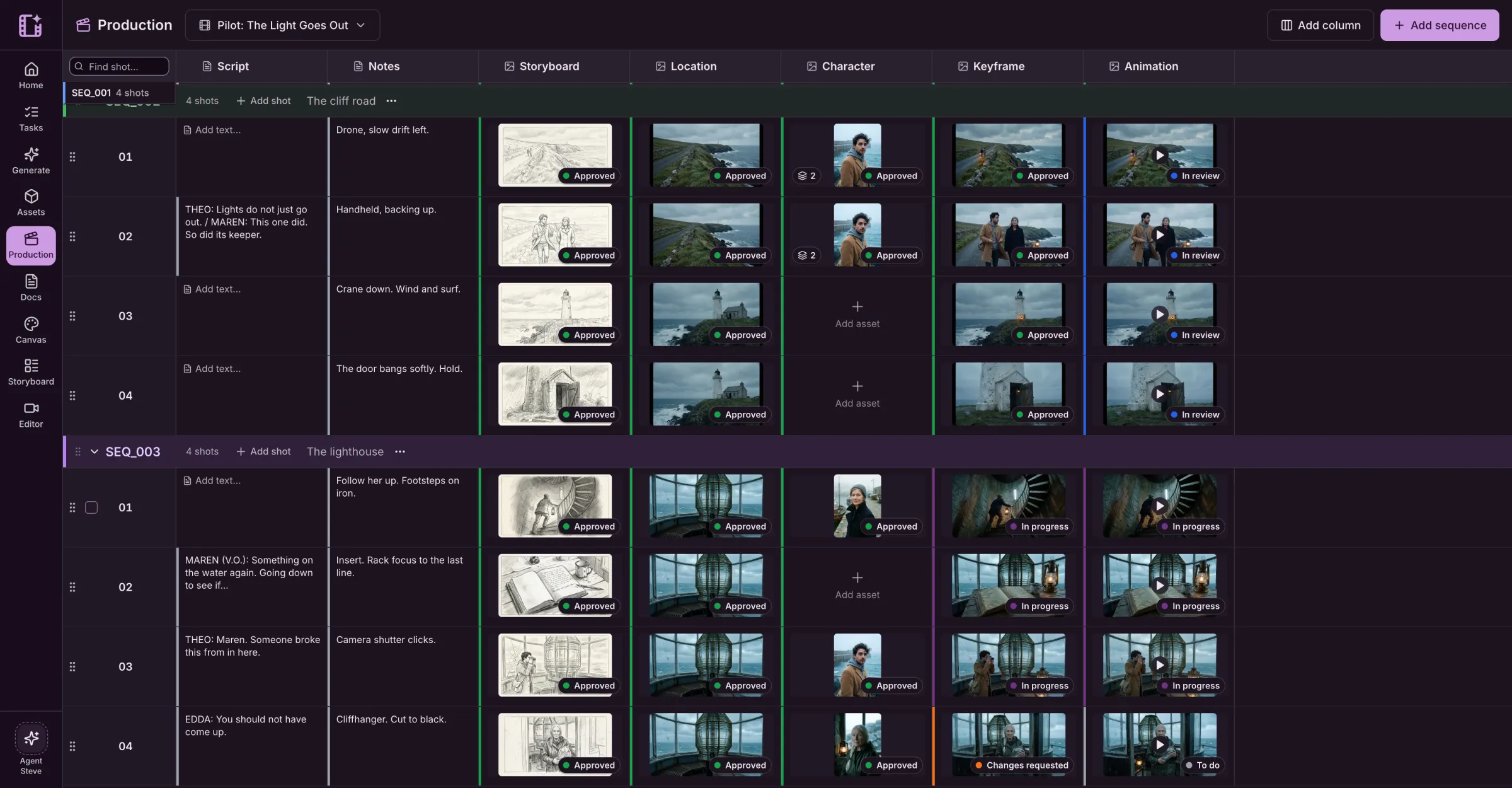
Generate from the shot.
Ask for a keyframe or a clip from the shot's script, notes and references. Steve can fill a whole column for a sequence, and tells you the price before anything runs.
- Results land in the cell and in the Asset Hub
- The price of every job is shown first
- Failed jobs refund automatically
Fast on a real production.
- 2,000+
- rows on one board, loaded a page at a time
- Live
- changes from your team appear as they happen
- Locked
- a cell someone is editing, so no one overwrites it
Also for commercials
The same board ran this 15-second spot, from storyboard to final cut.
See the commercial workLive action
Tidestride
“Run where the road ends.”
Questions about the Production Board.
How is a board organised?
By episode, then sequence (SEQ_001, SEQ_002 and so on), then shot. Each shot is a row, and each column holds one part of the work: script, notes, storyboard, keyframe, animation, or any column you add.
Can a cell hold more than one file?
Yes. A cell can hold several assets, with one marked as the main one. Earlier takes stay in the cell and in the Asset Hub.
Can I generate from the board?
Yes. Generate for a shot from its script, notes and references, or ask Steve to fill a whole column. You see the price first, and the results land in the cell.
Does it work for one-off projects?
Yes. A short film or a 15-second spot is one episode with a few sequences. The same board runs a series of any length.