Editor Studio
Mark up a frame. Fix it with AI. Keep the original.
Review any picture of the project with boxes, arrows and pins, then crop it, turn it, or change it with AI. Every edit is a copy linked to its source, so nothing is lost.
Kestrel Bay is a sample series we made in Cinemagiq to show the product. The brands in our spots are made up.
Notes on the picture, not in a thread.
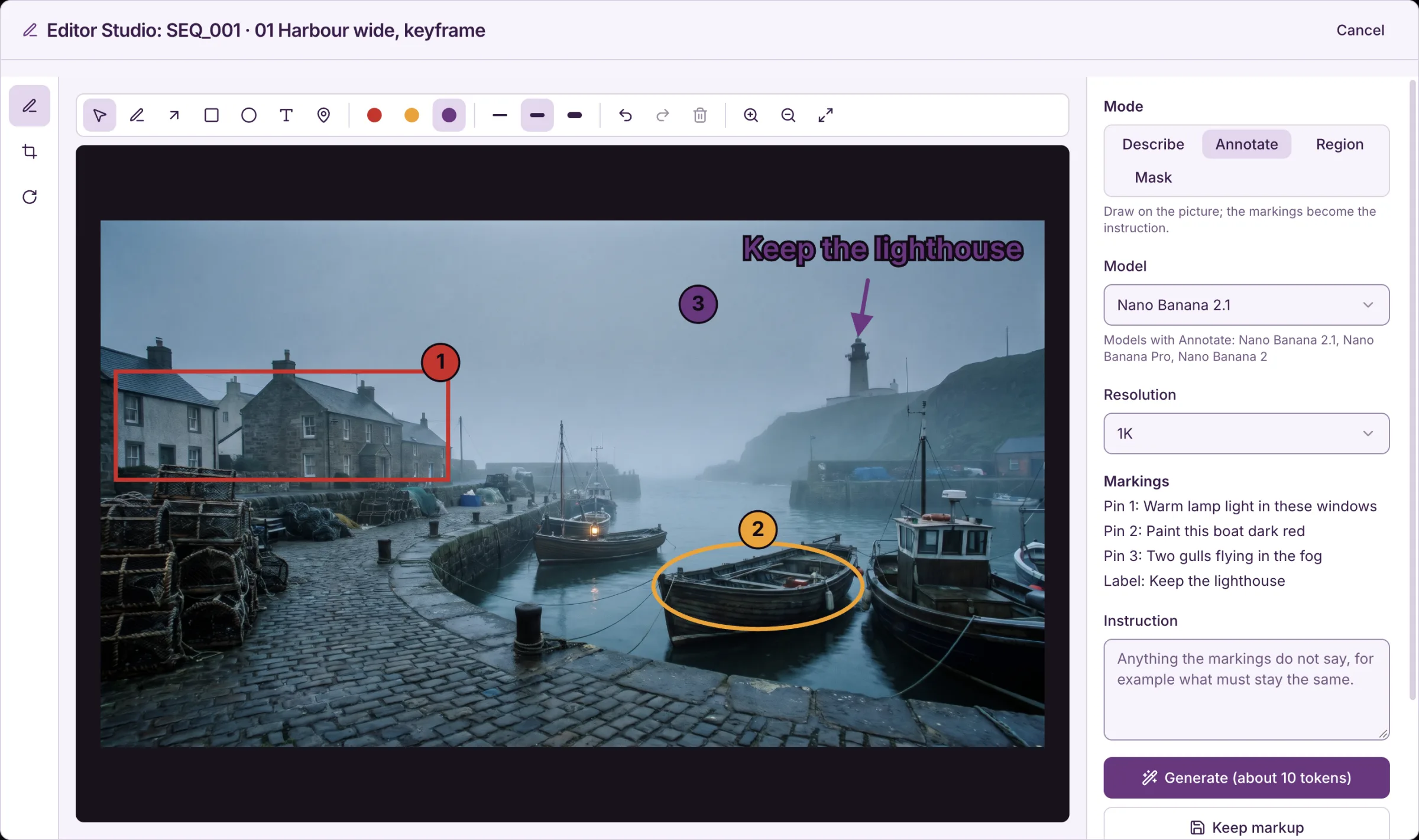
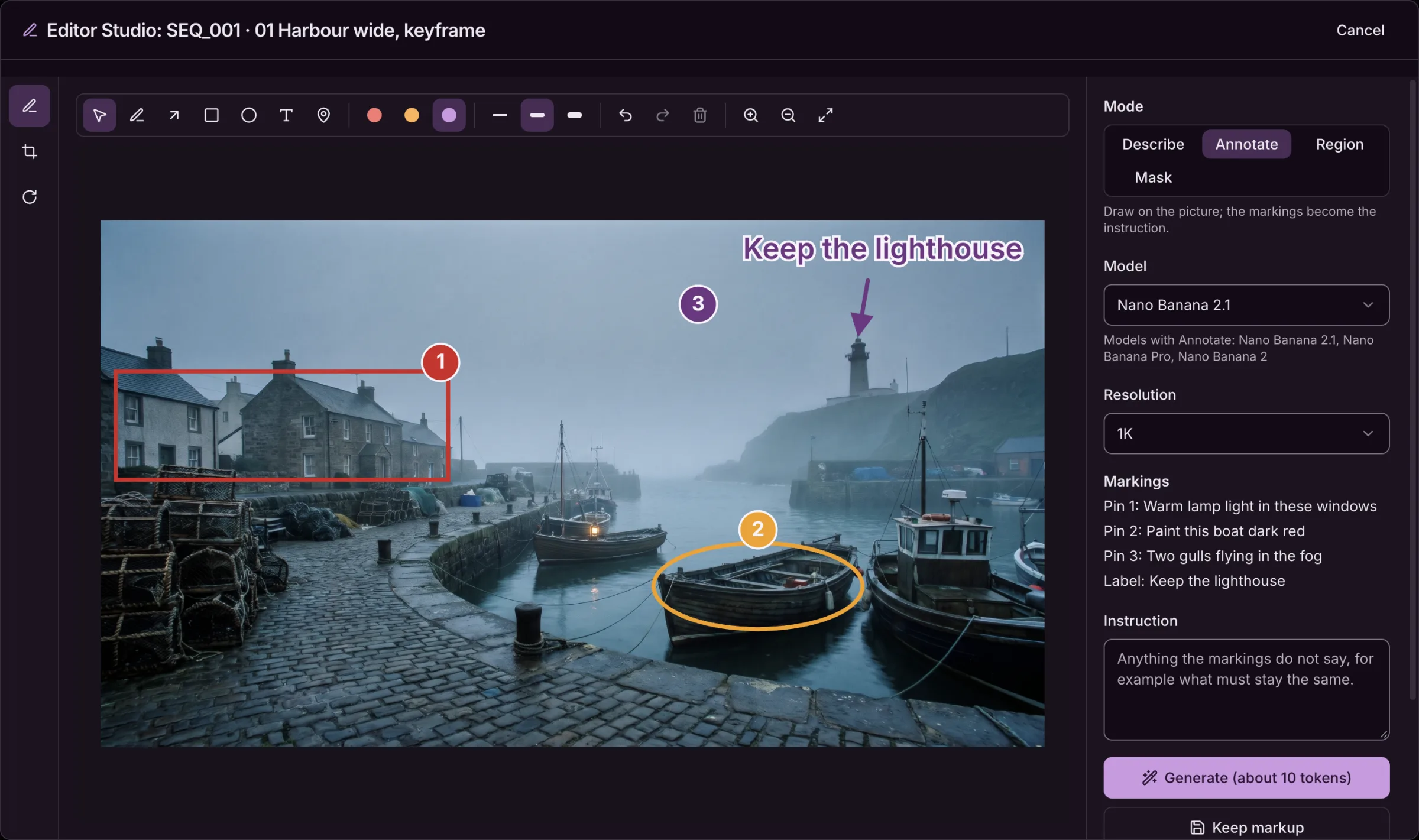
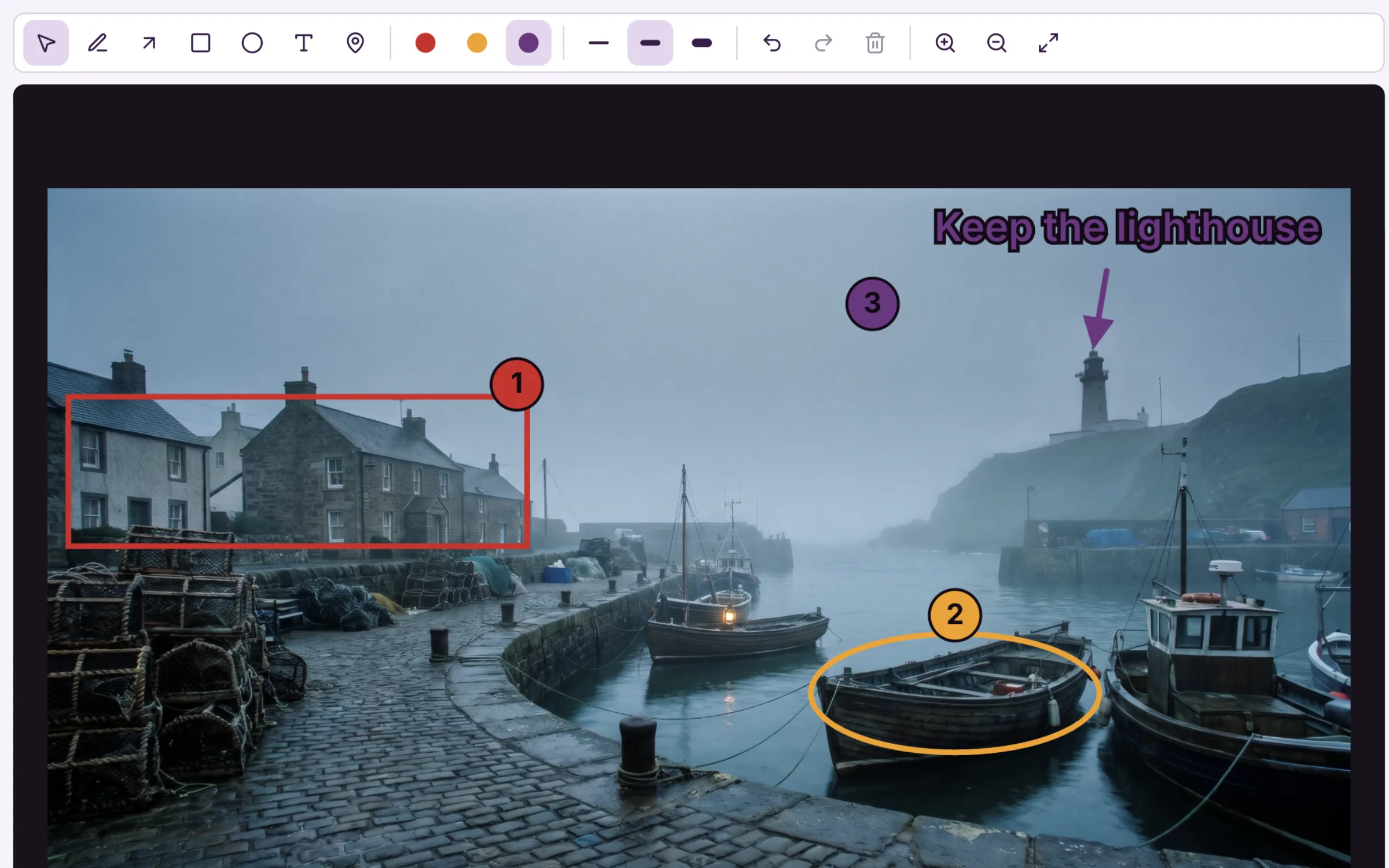
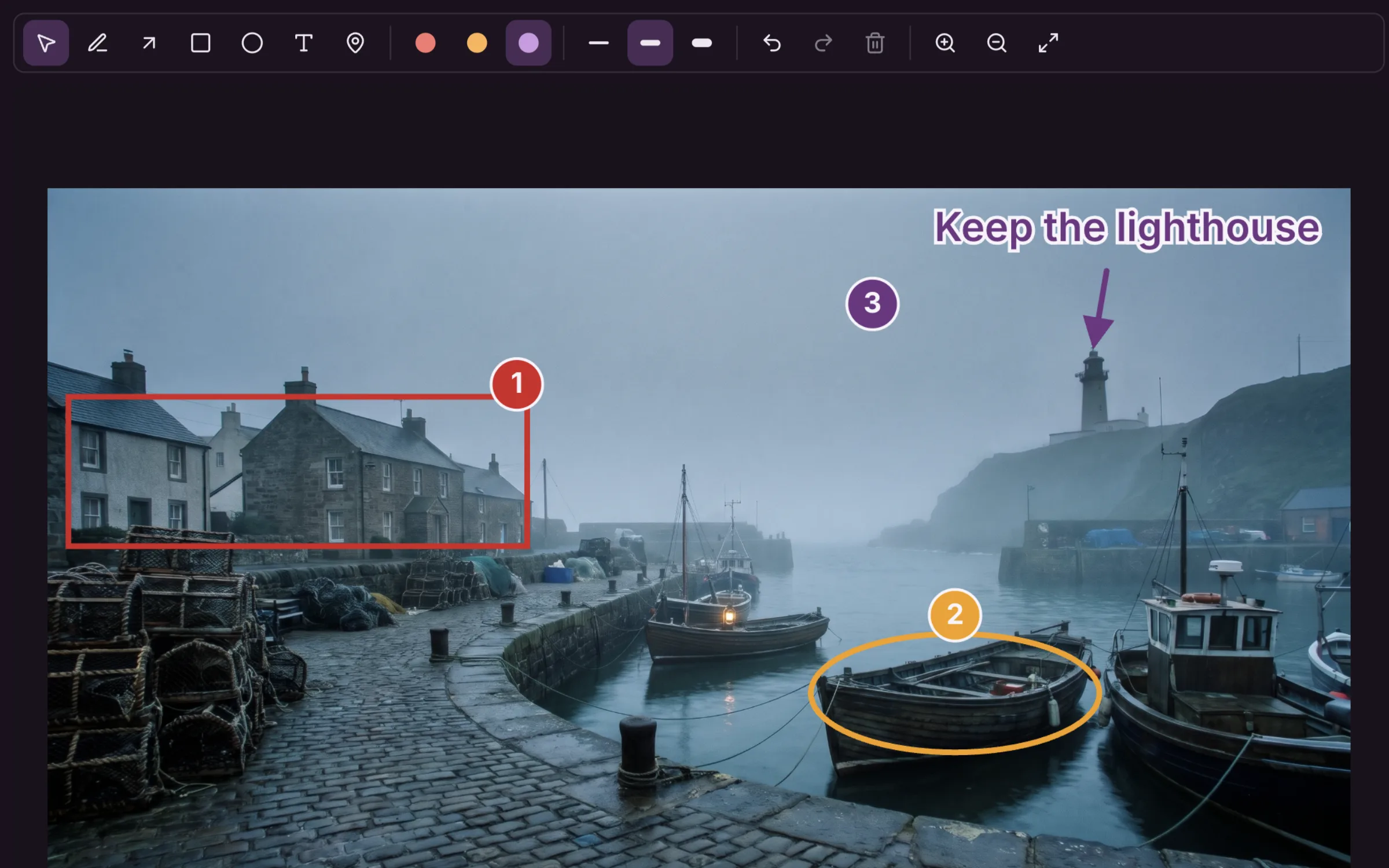
Draw on the frame with a pen, arrows, boxes, ellipses, text and numbered pins, then keep the markup with the asset. Everyone in the project sees it on the picture's previews.
- Pen, arrow, box, ellipse, text and numbered pins
- Kept with the asset, shown on every preview
- A Markup switch to see the picture with or without notes
Four ways to change a picture with AI.
Pick how you want to say what changes. The model and the price follow, and you see the price before you press Generate.
Describe
Write the change in a sentence. Everything else in the picture stays as it is.
Annotate
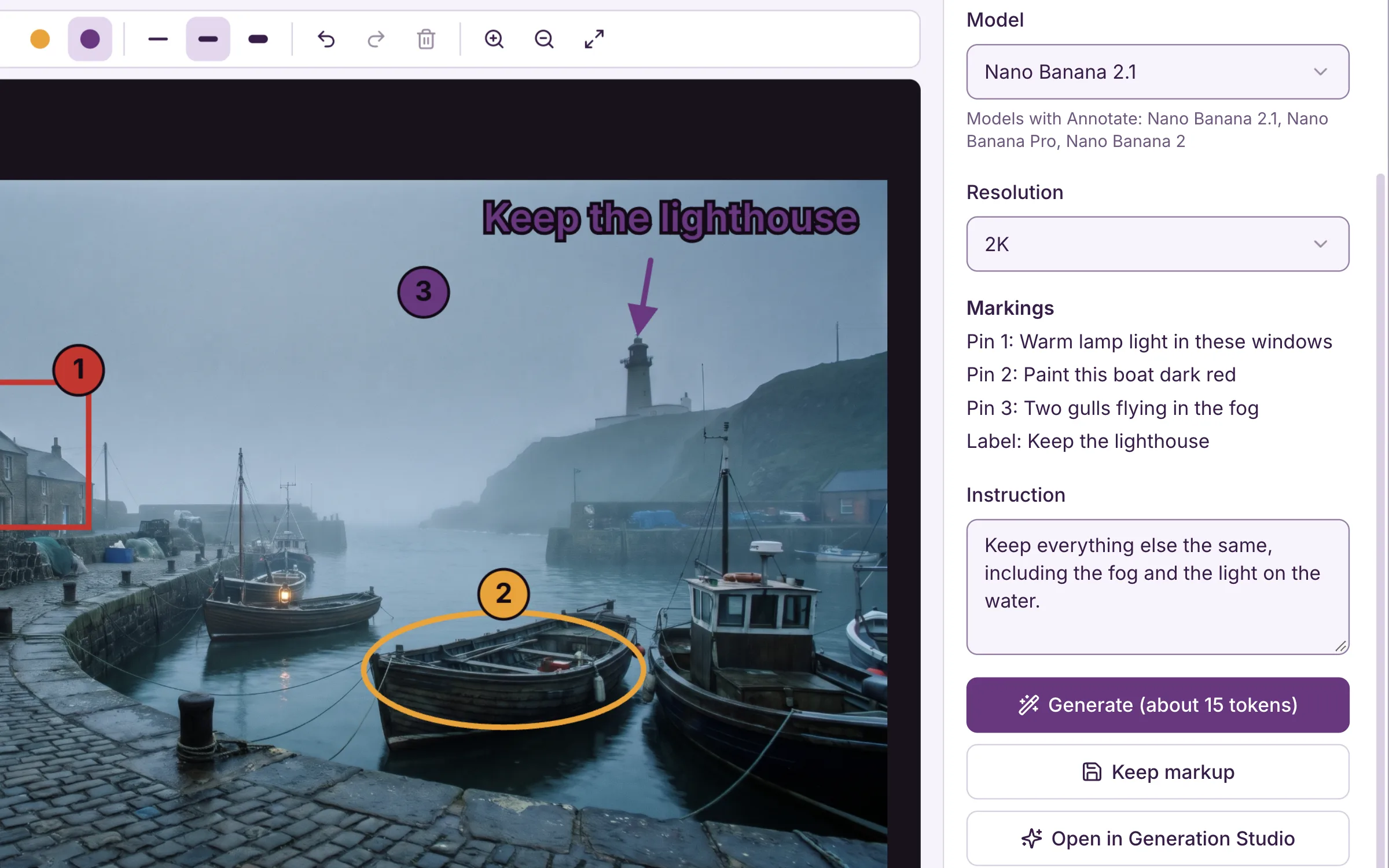
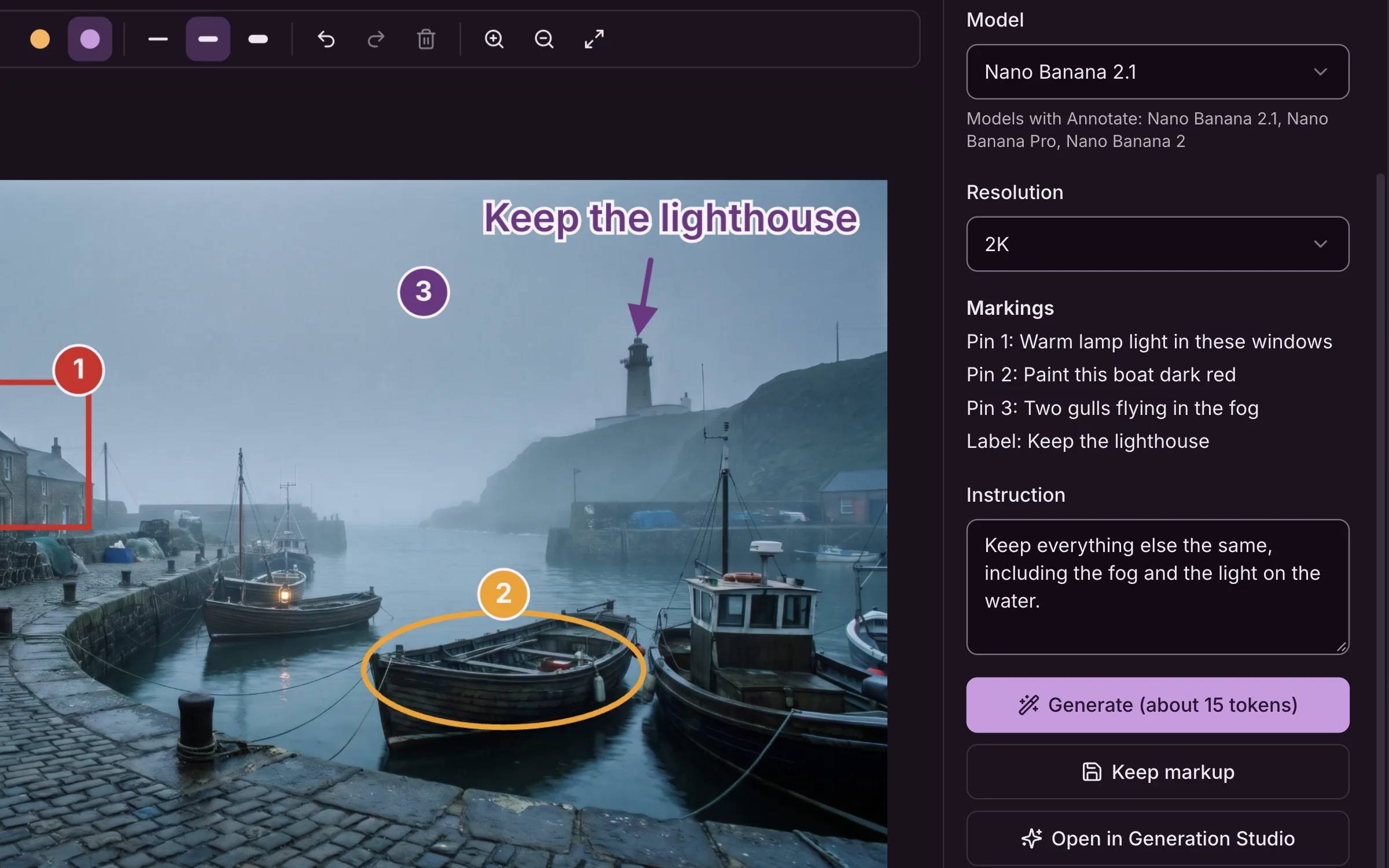
Your boxes, arrows, pins and labels become the instruction, and come back as a clean picture.
Region
Draw a box around the part to change, and only that part changes.
Mask
Paint over the area to replace, then say what goes there.
Your markup becomes the instruction.
In Annotate, the boxes, arrows and labels you drew tell the model what to change, and the result comes back clean, at the same framing, with no marks left on it.
- Pins and labels listed in order, as the model reads them
- A clean result at the same framing
- Or open the marked-up picture in the Generation Studio
Before and after, then decide.
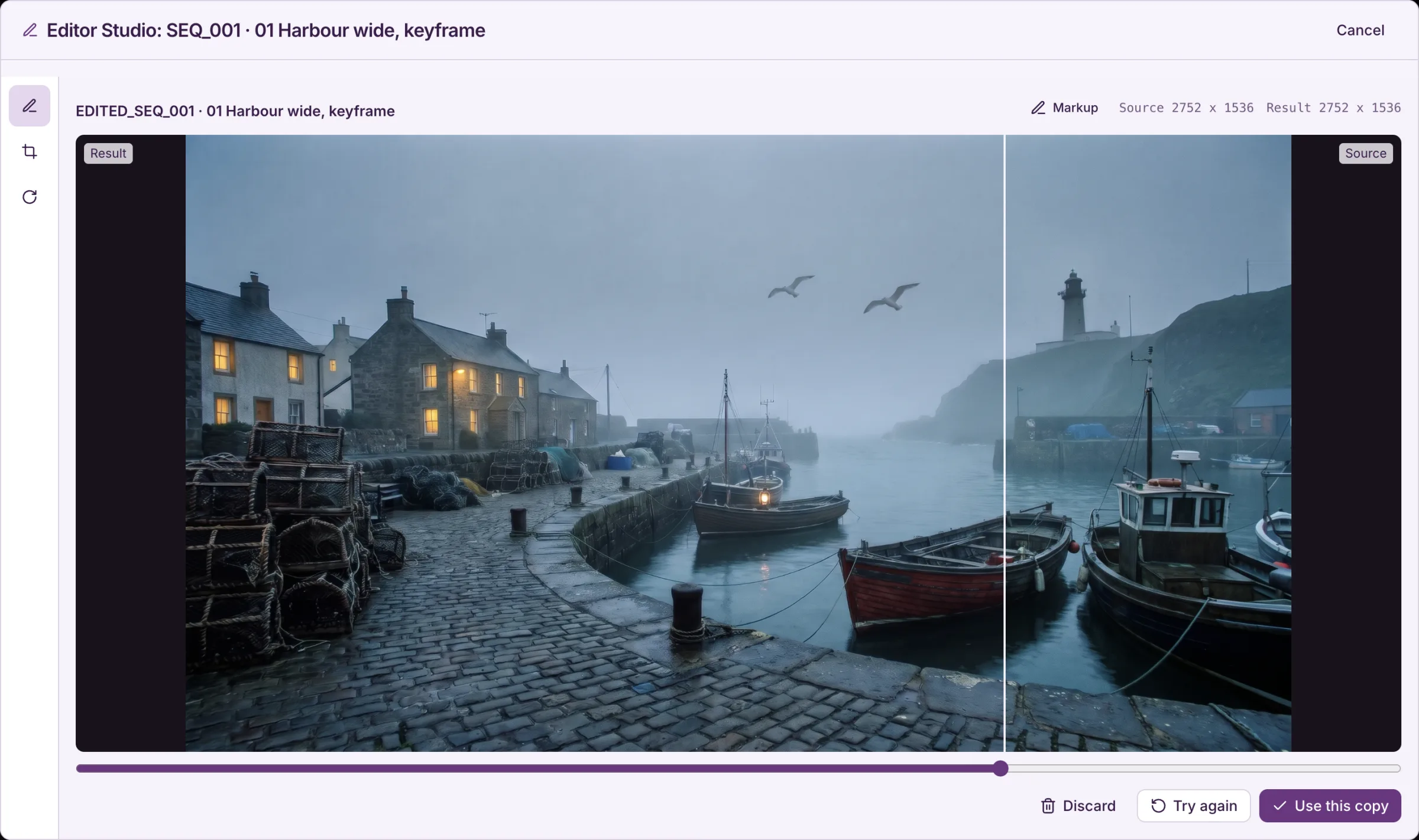
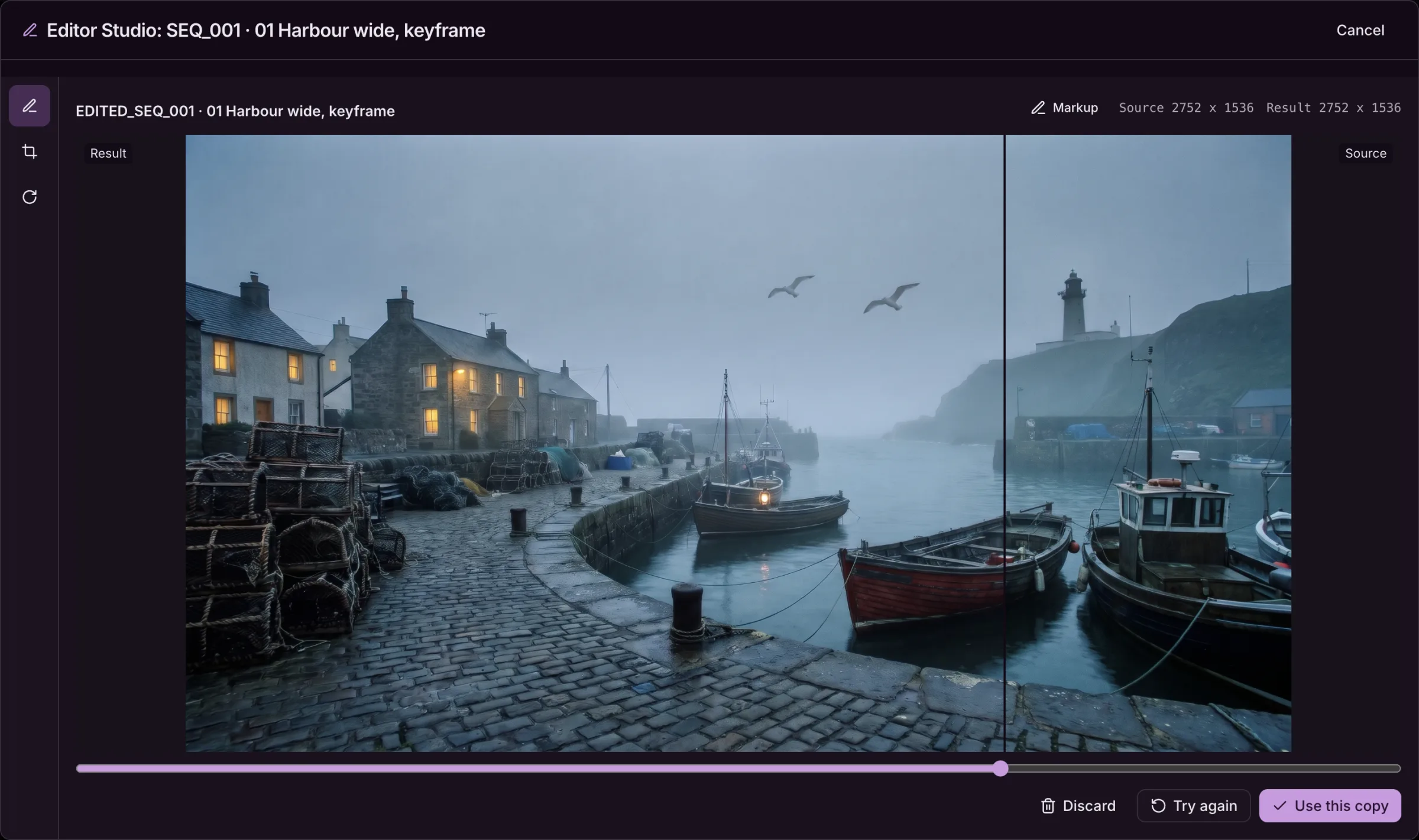
Compare the result with the source on a slider. Use the copy, try again with new markup, or discard it.
- A before and after slider, with both sizes shown
- Use this copy, Try again or Discard
- From a board cell, the copy becomes the shot’s next version
Crop and transform
Crop to 1:1, 16:9, 9:16, 4:3, 3:4 or free, rotate and flip. Each saves a copy in the same folder.
Every edit traced
A copy says what it was edited from, and the source lists its edited copies, oldest first.
Ask Steve
Describe the change to Steve, and he proposes the edit with its price. Nothing runs until you approve it.
Questions about the Editor Studio.
Where do I open the Editor Studio?
From the Edit button on any image: in the Asset Hub, on a Generation Studio result, in a Production Board cell and on the Canvas.
Does editing overwrite my picture?
No. Every crop, transform and AI edit saves a copy next to the original, linked to it, so you can always go back. The Canvas is the one place that can change a picture in place.
Who can mark up a picture?
Everyone in the project. Kept markup is saved with the asset and shows on its previews, so the team sees the notes without opening the editor.
What does an AI edit cost?
It costs tokens like an image generation, and the Generate button shows the price before you press it. Markup, crop and transform are free.
Which AI models edit pictures?
Each mode lists the models that can do it: Nano Banana, Seedream, GPT Image 2.5, FLUX.2 and Grok Imagine models, depending on the mode. Picking a mode picks a model that supports it.
Can Steve edit pictures for me?
Yes. Ask Steve to change a picture and he proposes the edit as a plan with its price. Nothing is generated until you approve it, and the result is a copy, as in the editor.