imageby Google DeepMindAvailable in Cinemagiq
Nano Banana 2.1
Google's newest Nano Banana and the default image model in Cinemagiq
An image costs from about $0.10
Google's newest Nano Banana and the default image model in Cinemagiq
An image costs from about $0.10
Nano Banana 2.1 is an image generation model from Google DeepMind and the successor to Nano Banana 2. It is the default image model in the Cinemagiq Generation Studio, so it is the model to start with on the Image tab. It turns a written prompt, with or without reference images, into finished stills, and it can return up to four images from one run so you can compare options side by side.
It renders at 1K, 2K or 4K and supports 14 aspect ratios: 1:1, 2:3, 3:2, 3:4, 4:3, 4:5, 5:4, 9:16, 16:9 and 21:9, plus the panoramic 1:4, 4:1, 1:8 and 8:1. You can attach up to 10 reference images and cite them in the prompt as @image1, @image2 and so on. Camera Angle Control adds viewpoint presets (Front, Rear, Left Side, Right Side, Low Angle, High Angle or Custom) and the Top-Down, Wide-Angle and Close-Up camera types.
In a film workflow, use Nano Banana 2.1 for concept art, storyboard panels, character turnaround sheets, location plates, posters and title cards. Strong stills also become first frames: open the Video tab, add the image under Add Keyframes as the First Frame, and animate it with a model such as Kling O3 or Seedance 2.5. Every result lands in the Asset Hub under All Generations, and you can add the strongest take to a shot on the Production Board.
Made in Cinemagiq with Nano Banana 2.1. The exact prompt is under each one.
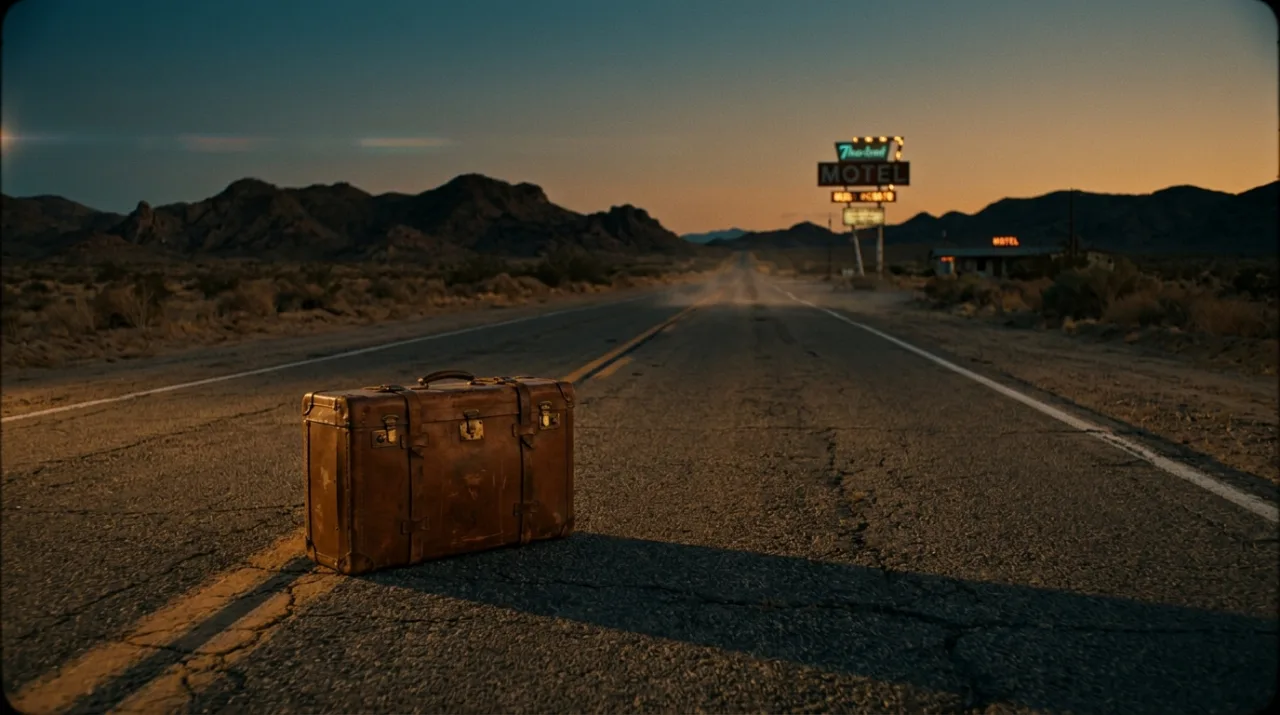
PromptCinematic film still, wide shot: an old brown leather suitcase standing alone on an empty desert highway at dusk, heat haze on the asphalt, long shadows, a lone motel sign glowing in the distance, anamorphic lens, warm amber and teal color grade, 35mm film grain.
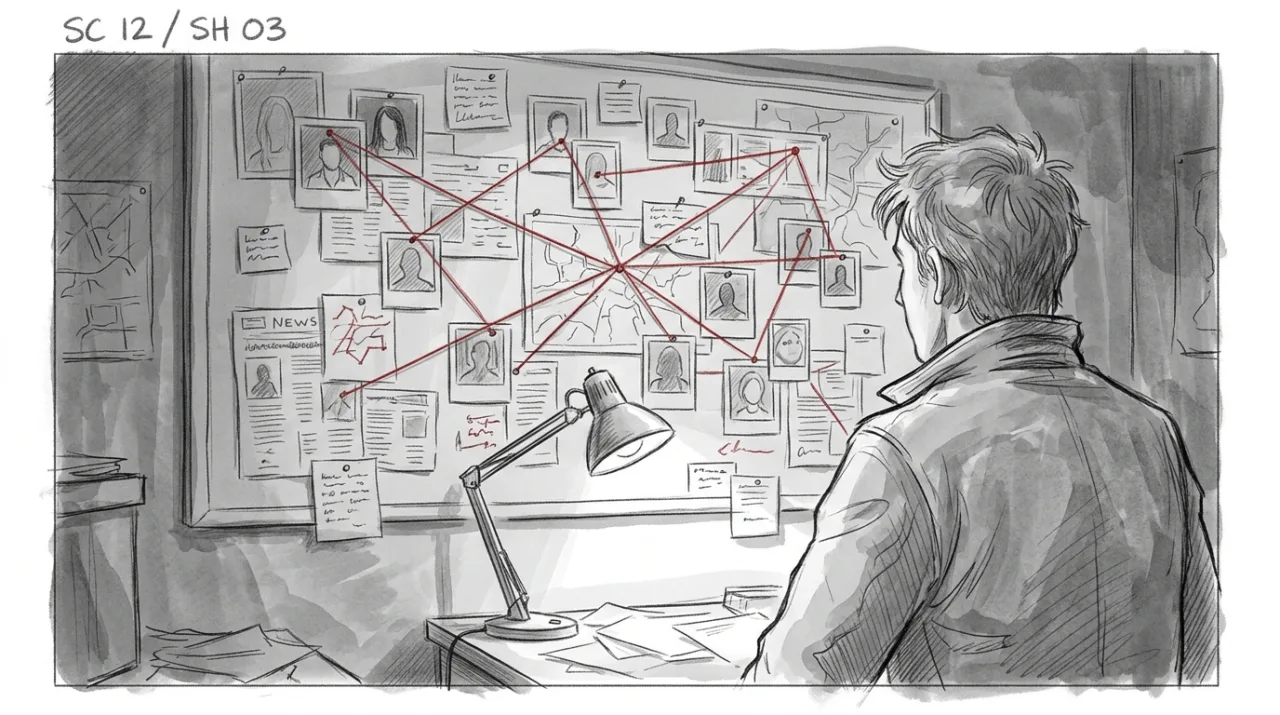
PromptStoryboard panel in clean graphite pencil with a light grey wash: over-the-shoulder shot of a young detective looking at a wall covered in photos connected by red string, a single desk lamp, thin panel border, the label 'SC 12 / SH 03' written in the top left corner.
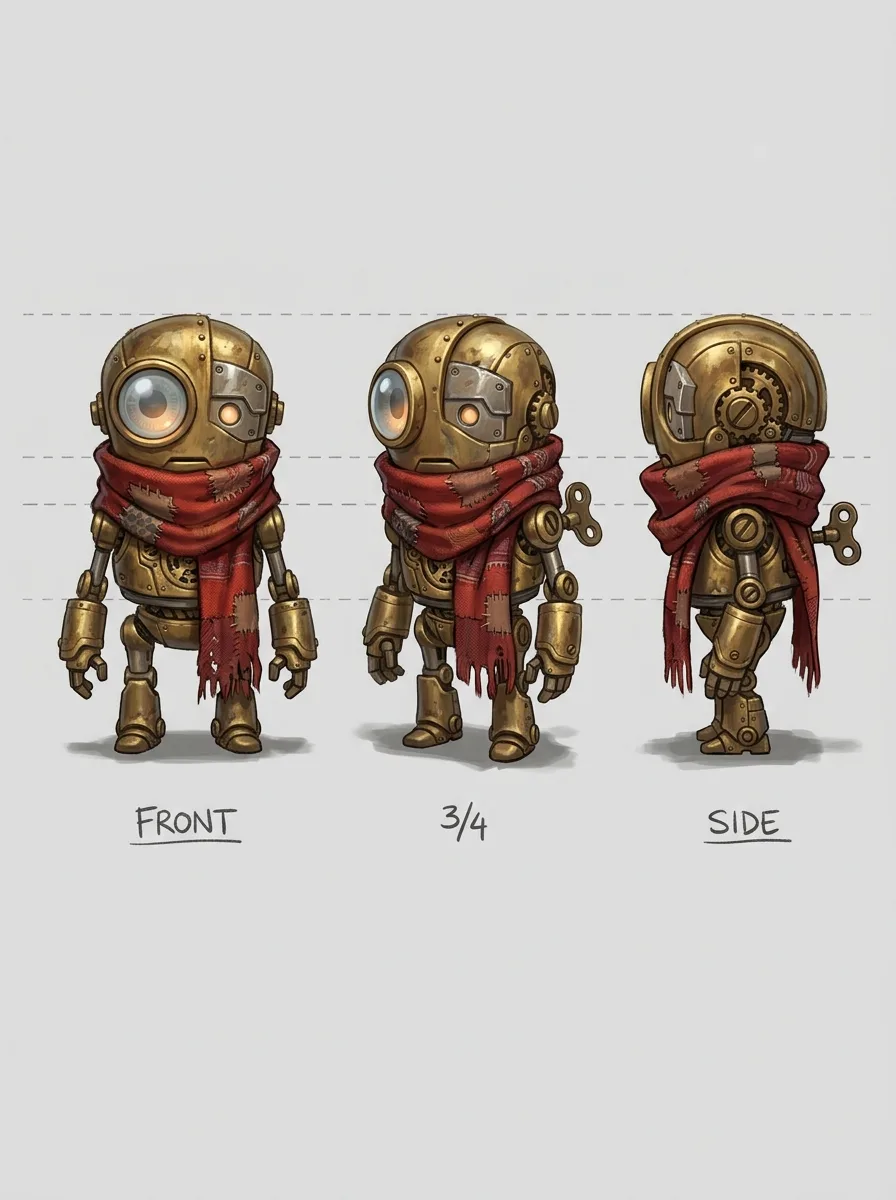
PromptCharacter turnaround sheet for an animated film: a small clockwork robot with a brass body, one round glass eye and a patched red scarf, shown from the front, three-quarter and side on a plain light grey background, consistent proportions, soft studio light, labeled FRONT, 3/4 and SIDE.
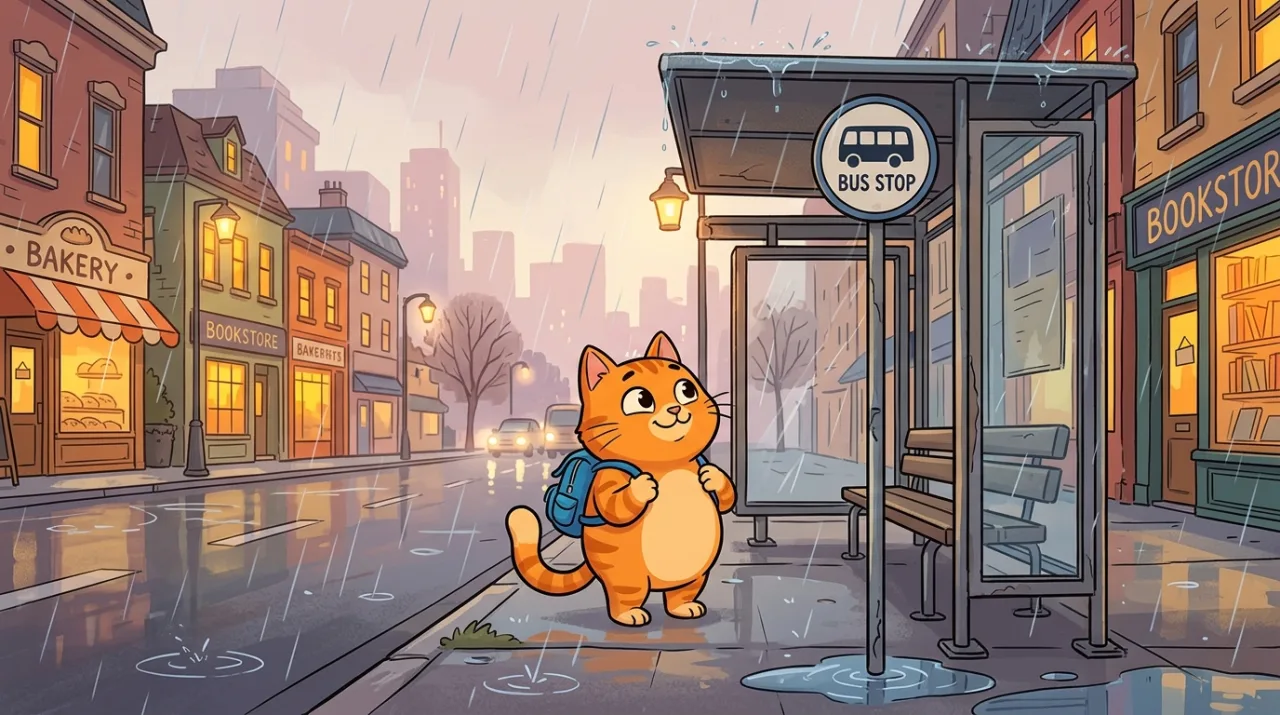
Prompt2D cartoon style: a cheerful orange cat wearing a tiny blue backpack standing at a bus stop in the rain, flat colors, thick clean outlines, cozy city street behind, children's animated series look.
Straight from the model list Cinemagiq runs today.
| Variant | Resolution | Reference images | Camera Angle Control |
|---|---|---|---|
| Nano Banana 2.1 | 0.5K, 1K, 2K, 4K | Up to 10 | Yes |
Nano Banana 2.1 is an image generation model from Google DeepMind and the successor to Nano Banana 2. In Cinemagiq it is the default model on the Generation Studio's Image tab, producing stills at 1K, 2K or 4K from a prompt and up to 10 reference images.
Up to 10. Attach them on the Image tab and refer to them in the prompt by position as @image1, @image2 and so on. Mention them early in the prompt, because a citation buried in the middle of a long sentence can be ignored by the model.
Yes. Camera Angle Control works on the Google image models, including Nano Banana 2.1. Pick a viewpoint preset (Front, Rear, Left Side, Right Side, Low Angle, High Angle or Custom) or a camera type (Top-Down, Wide-Angle, Close-Up). It steers the prompt, so check each result.
Yes. Open the Video tab, choose a video model and add the still under Add Keyframes as the First Frame. Kling O3 needs a first frame, and Seedance 2.5 can use one when you add it. The finished clip lands in the Asset Hub under All Generations.
Generate with Nano Banana 2.1 and the other models Cinemagiq runs in one AI-native workspace, and pick the right one per shot.