Seedream 5.0 is ByteDance's image model, and Cinemagiq runs it in three variants: Seedream 5.0 Pro, Seedream 5.0 Lite and Seedream 5.0 Flash. All three deliver the exact aspect ratio you set. That matters when a still has to fit a vertical social cut, a widescreen frame, or the first frame of a video at a fixed shape. For film and commercial work, use it for location plates, product and food stills, mood frames, posters, storyboard frames and first frames for image-to-video.
How Seedream 5.0 reads a prompt
Seedream 5.0 takes a written prompt plus optional settings and references:
- Exact-ratio output. The frame comes back in the aspect ratio you chose. Write the prompt for that shape, so the composition and the canvas agree.
- Resolution by variant. Seedream 5.0 Pro delivers 1K or 2K. Seedream 5.0 Lite delivers 2K or 4K. Seedream 5.0 Flash, the fastest Seedream, delivers 1K or 2K.
- Reference images: up to 10 on Pro and Flash, up to 14 on Lite. Say what each one is for.
- No Camera Angle Control. That setting is only on the Nano Banana models, so write the angle and shot size into the prompt.
- Text in the image: for a title or a label, write the exact words and keep them short.
Treat the opening words as a brief. "Food photography for a commercial" or "vertical film still for social media" tells the model the genre, the purpose and the shape before it reads a single detail. Then describe the subject, the surfaces around it, and the light.
A prompt structure that works
[Format and purpose]: [subject] [action caught mid-moment], [setting and surfaces], [light], [color or mood], [what to leave out].
The format slot carries most of the weight: "photorealistic wide shot", "vertical film still", "product photography". The action slot is what makes a still feel like a frame from a moving scene.
What each example shows
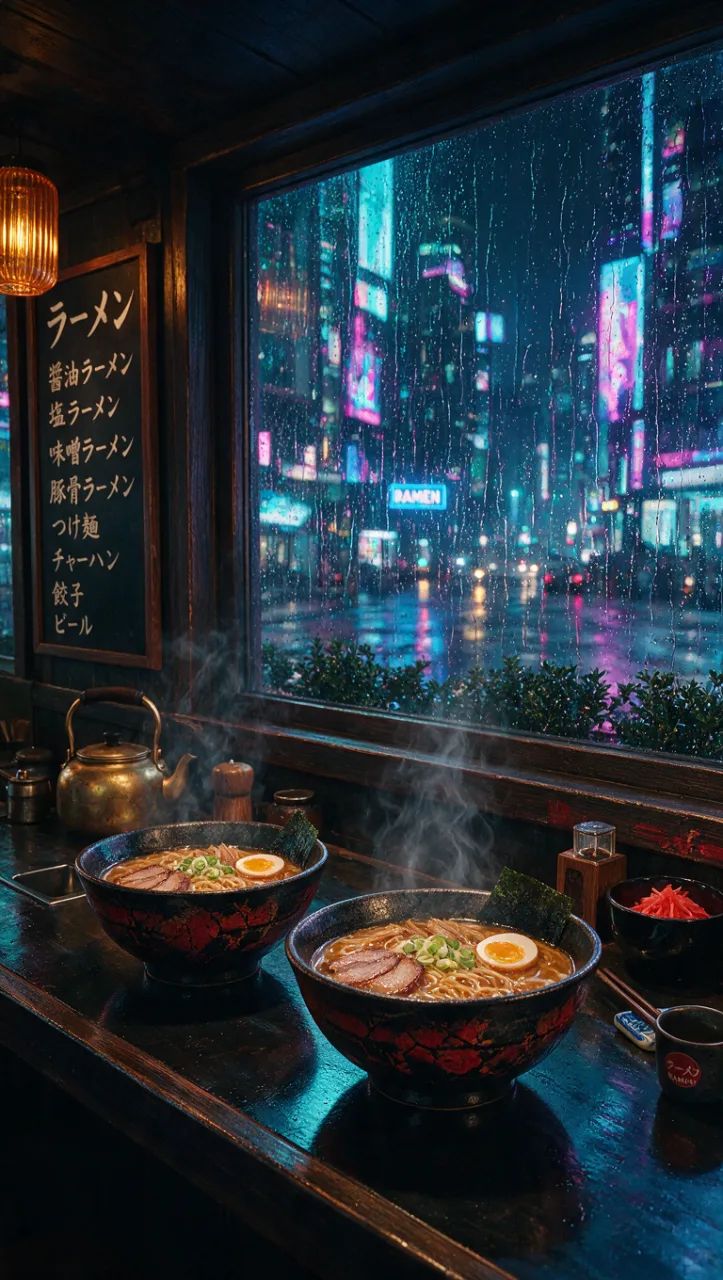
Example 1: a vertical frame. The prompt opens with "Vertical film still for social media:", which agrees with the 9:16 setting, so words and canvas point the same way. Texture details do the storytelling: "steam rising from two bowls, rain on the window". The color direction is one phrase, "moody cyberpunk colors", and "no people" keeps the counter empty, which leaves space for a character to be added in a later shot.
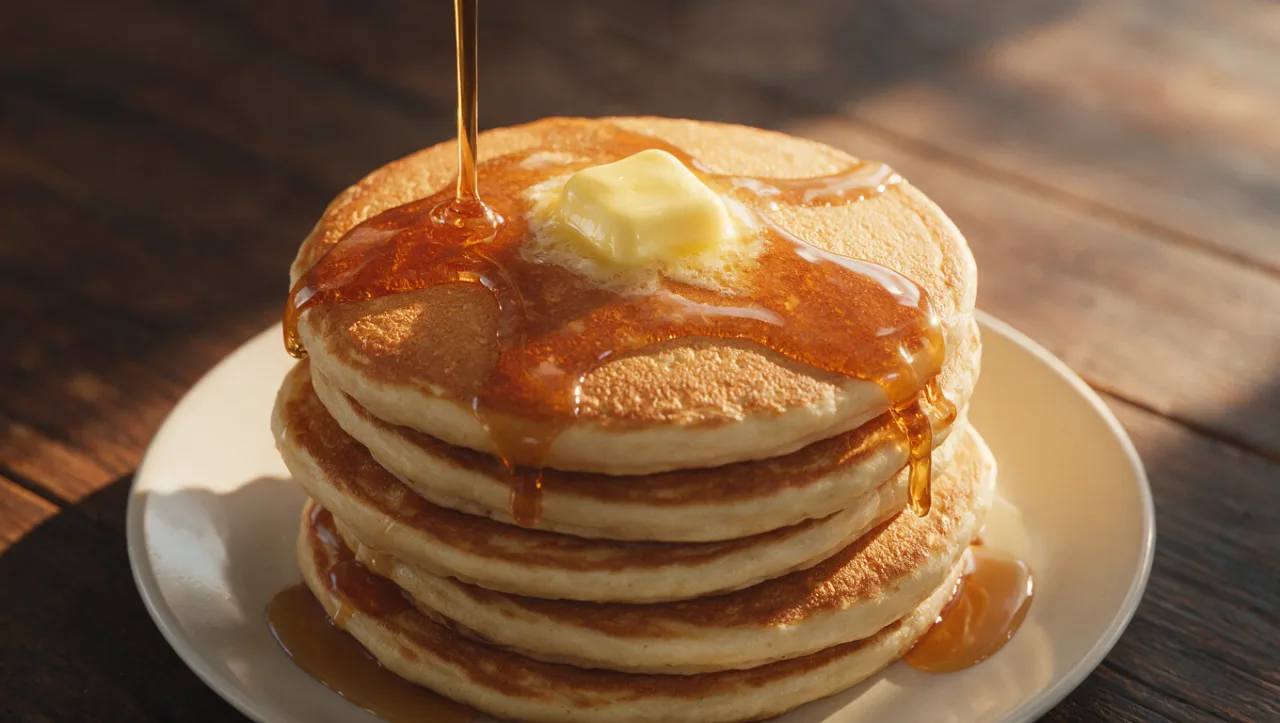
Example 2: a commercial food shot. "Food photography for a commercial:" names the genre, which carries a whole set of conventions about framing and light. The motion is frozen with present-tense verbs: "maple syrup pouring over the top, butter melting". The lighting and the surface are set together, "warm morning light, dark wooden table", so the subject has a clear background to stand against.
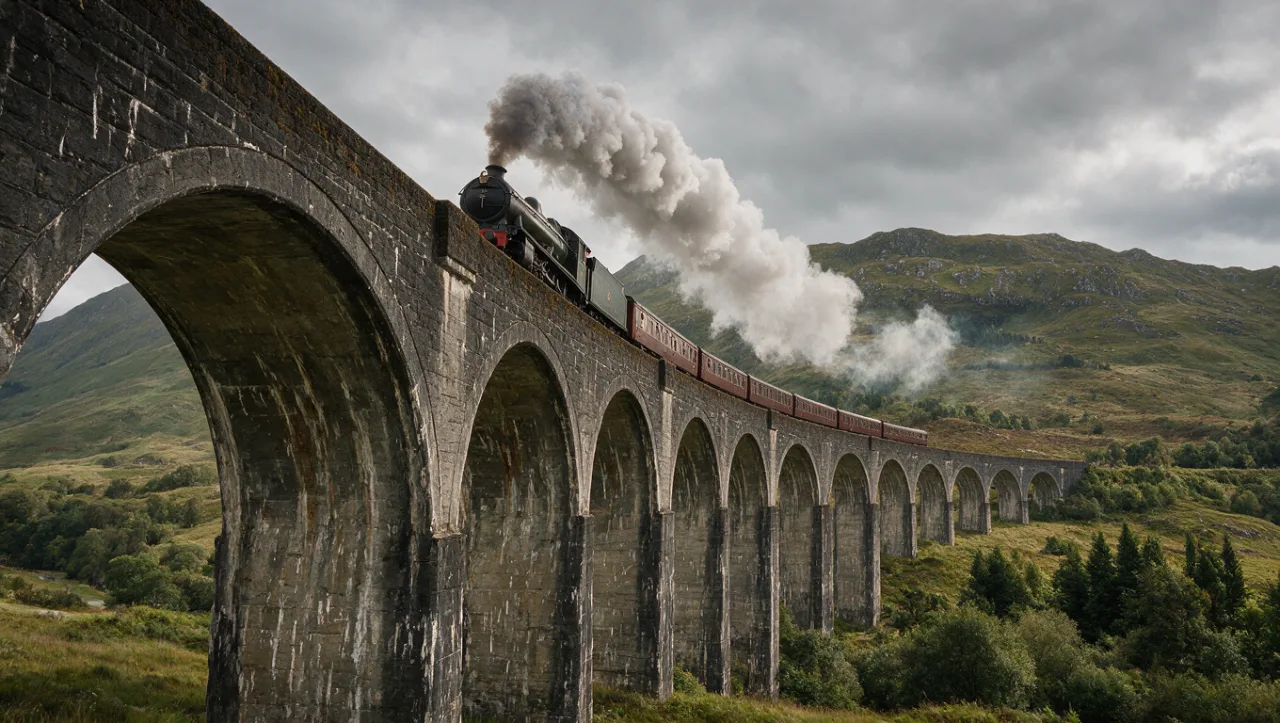
Example 3: a photoreal location plate. "Photorealistic wide shot" sets the style and the framing in three words. The subject and the place are specific, "an old steam locomotive crossing a stone viaduct in the Scottish highlands", and a real region anchors the landscape. "Smoke trailing behind" gives the train a direction of travel, and "overcast sky" settles the light in two words.
Tips and common mistakes
- Make the words agree with the ratio. Write "vertical" for 9:16 and "wide shot" for 16:9. A widescreen description on a vertical canvas sets up a fight.
- Name the photographic genre. "Food photography", "product photography" or "architectural photography" brings framing and lighting conventions with it.
- Freeze motion with verbs. "Pouring", "melting" and "trailing" turn a still life into a moment.
- Anchor the place. A real region, an era or a named material ("stone viaduct", "dark wooden table") is more specific than "beautiful scenery".
- Pick the variant for the stage. Draft on Seedream 5.0 Flash, then render the approved frame on Seedream 5.0 Pro, or on Seedream 5.0 Lite when you need 4K.
- Write the angle yourself. Without Camera Angle Control, put "low-angle", "top-down" or "eye-level" near the start of the prompt.
How to do it in Cinemagiq
- Pick a variant. On the Generation Studio's Image tab, choose Seedream 5.0 Pro, Seedream 5.0 Lite or Seedream 5.0 Flash in the model picker (see the Seedream 5.0 model page).
- Set the ratio first. Choose the aspect ratio of the final use (the video, the poster, the social cut), then the resolution. Because the output is exact, generate a first frame at the ratio you will animate.
- Start from a reference look. Image to Prompt turns a still you like into an editable prompt you can adapt.
- Save the brief. Keep working prompts in the project's Prompt Library as templates with
{{placeholders}}, for example Food photography for a commercial: {{product}}, {{light}}.
- Animate it. Results land in the Asset Hub under All Generations, named after the model and the time. Add one as the First Frame on the Video tab, and see our guide to image-to-video AI.
Try these prompts in Cinemagiq
Run Seedream 5.0 and the other leading models in one AI-native workspace.